
10 Best Shopify Apps for BFCM 2026 for B2B & B2C Stores

BFCM is one of the most important sales periods of the year for many Shopify merchants. In 2025, Shopify merchants generated $14.6 billion in sales over the BFCM weekend, up 27% year over year, with more than 81 million customers buying from Shopify-powered businesses.
Black Friday falls on November 27, 2026, with Cyber Monday following on November 30. Naturally, the months leading up to it bring a rush to prepare campaigns, storefronts, and the apps needed to support the extra demand. However, choosing those apps is less straightforward when the same Shopify store serves both retail and wholesale customers.
A public promotion can interact very differently with wholesale pricing. Shopify notes that in a blended store, discounts eligible for all customers apply to both B2B and D2C buyers by default unless the merchant scopes them differently. Products are also available to both customer types by default, with catalogs used to separate product availability and pricing.
Shopify’s own B2B offering has also changed considerably this year. Since April 2, 2026, merchants on Basic, Grow, and Advanced can use native B2B features including company profiles, catalogs, payment terms, volume pricing, quantity rules, and self-serve ordering.
So the useful question heading into BFCM 2026 is no longer simply “Which wholesale app do I need?” and has become “Which parts of the B2B and B2C buying journey does Shopify already handle, and where does your store still need another app?“
The 10 apps below are selected around that question. They cover B2B pricing, catalog access and large-order workflows alongside the marketing and operational tools a blended store may need during BFCM.
Why BFCM works differently in a blended B2B and B2C store
Shopify uses the term blended store for a single store that handles both B2B and D2C customers. The two customer types share the same Shopify admin and can share inventory, products, and storefront infrastructure, while pricing and parts of the buying experience can be segmented.
During BFCM, the difference between the two buying journeys becomes more visible.
| B2C shopper | B2B buyer |
|---|---|
| Usually responds to a public promotion | May already have contracted or account-specific pricing |
| Often purchases a small number of items | May order by case, pack, or larger quantities |
| Normally uses standard checkout | May use payment terms, quotes, purchase orders, or internal approval |
| Usually browses the public catalog | May need a restricted range or different product availability |
| May respond to BOGO, bundles, or gifts | May care more about volume pricing, MOQ, or quantity increments |
| Often completes one-off purchases | May reorder the same products regularly |
The BFCM issue is therefore not simply how large a discount to offer. Merchants also need to decide which customers receive the offer, which price takes precedence, which products each buyer can see, and how larger orders should be place before selecting apps for their store
What Shopify already handles before you install another B2B app?
Shopify B2B is much more capable in 2026 than it was when many older wholesale-app guides were written. On Basic, Grow, Advanced, and Plus, Shopify now supports companies, company locations, B2B catalogs, quantity rules, volume pricing, net payment terms, draft-order-to-invoice workflows, purchase order numbers, easy reordering, Shopify Flow automations, and a native Quick Order List.
It also supports company account requests through the free Shopify Forms app. A prospective wholesale customer can submit a form, after which Shopify creates a company, company location, and customer record for the merchant to review and approve. For bulk ordering, Shopify’s Quick Order List is available across B2B plans and supported in recent versions of Shopify’s free themes. It can also be added through theme code.
However, there are still meaningful plan differences. Basic, Grow, and Advanced stores can assign up to three active B2B catalogs across their B2B markets. Shopify Plus supports unlimited B2B market catalogs as well as direct catalog assignment to individual companies and company locations. Deposits and partial payments are also Plus-only, while contextual storefront and checkout experiences through Markets require Advanced or Plus.
Shopify also explicitly points merchants to third-party apps for additional use cases such as quoting workflows and order upload by CSV. For storefront access, Shopify notes that a third-party locking app can be used when entire pages need to be hidden from D2C customers or visitors who are not logged in.
That gives us a useful rule for the rest of this list: Keep the native feature when it already fits your workflow. Add an app when you can identify what native Shopify B2B misses, whether it’s a specific limitation or additional workflow that needs to be covered.
With that in mind, let’s jump right into our selection of the best Shopify apps for your blended store this BFCM season.
10 best Shopify apps for a blended B2B + B2C BFCM stack
The apps below are not ranked from best to worst. They are ordered by the role they play in the stack, starting with the B2B buying experience and then moving into marketing, customer support, and operations.
| App | Role in the BFCM stack | Best when you need | Shopify native overlap |
|---|---|---|---|
| BSS B2B Wholesale Pricing | B2B pricing & purchasing rules | More granular wholesale pricing, quantity, tax, shipping, or account rules | High |
| BSS B2B Lock, Login & Password | Access & storefront visibility | Restricted pages, products, variants, or prices | Partial |
| BSS B2B Request a Quote, Order | RFQ & large-order workflow | Negotiation, quote-to-order, CSV ordering, or repeat bulk purchases | Partial |
| Klaviyo | Campaign segmentation | Different BFCM messaging for retail, wholesale, and VIP buyers | Low |
| BOGOS | Retail promotion | Gifts, BOGO offers, bundles, and consumer incentives | Partial |
| Judge.me | Social proof | More first-time traffic reaching product pages during BFCM | Low |
| Gorgias | Customer support | Higher pre-sale and post-sale enquiry volume | Low |
| Shopify Flow | Automation | Repetitive BFCM and B2B admin tasks | Native |
| Matrixify | Bulk data management | Large product, customer, discount, or B2B company datasets | Partial |
| AfterShip | Post-purchase tracking | Higher shipment volume and WISMO enquiries | Partial |
Best Shopify Apps for B2B/Wholesale Merchants in general
1. BSS B2B Wholesale Pricing — for B2B pricing and purchasing rules beyond your native setup
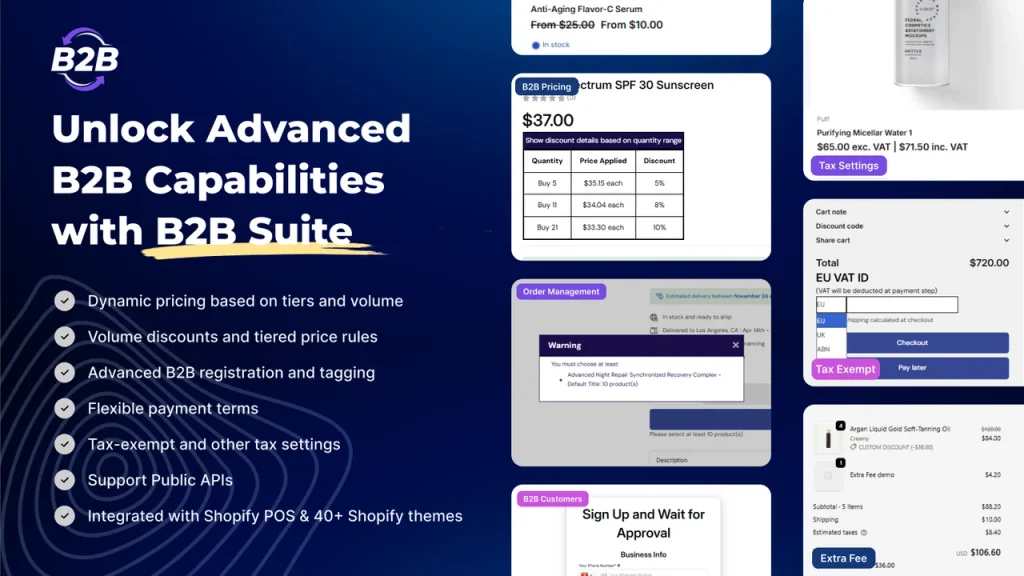
Best for: Merchants whose wholesale pricing or purchasing logic has become more granular than their current Shopify B2B configuration.
Shopify already handles a substantial part of wholesale pricing. Catalogs can define product availability, fixed prices and pricing adjustments, while quantity rules and volume pricing are available across the supported B2B plans.
That means installing another pricing app just to create a basic wholesale discount may be unnecessary.
BSS B2B Wholesale Pricing becomes more relevant when the store needs additional controls around those prices and orders.
Its current plans include capabilities such as customer-specific pricing, variant-level wholesale prices, quantity and order limits, quantity increments, wholesale shipping rates, tax handling, net terms, conditional registration forms, bulk pricing import/export, and API-based pricing synchronization. Availability varies by plan.
Where that can matter during BFCM
A blended store might have:
- a public Black Friday discount for retail customers;
- fixed trade prices for one wholesale group;
- volume-based pricing for another;
- case-pack increments for selected wholesale products;
- a minimum order value for newly approved B2B accounts;
- customer-specific prices for larger accounts.
The main BFCM requirement is not to make every pricing rule more aggressive. It is to make sure public promotions do not unintentionally change commercial terms that were meant for wholesale buyers.
That deserves particular attention because Shopify discounts can stack on top of catalog pricing, and discounts eligible for all customers, specific customers, or customer segments can apply to both B2B and D2C customers in a blended store by default.
When native Shopify may already be enough
If you have a small number of B2B segments and can represent them cleanly with Shopify catalogs, volume pricing, and quantity rules, native B2B should be the first option to evaluate.
For Basic, Grow, and Advanced merchants, the practical limitation to watch is the three-active-catalog allowance across B2B Markets. Direct catalog assignment at the company or company-location level remains a Plus feature.
BSS is better treated as an additional pricing and rule layer when those constraints no longer match the store’s pricing model.
2. BSS B2B Lock, Login & Password: for controlling what different buyers can see
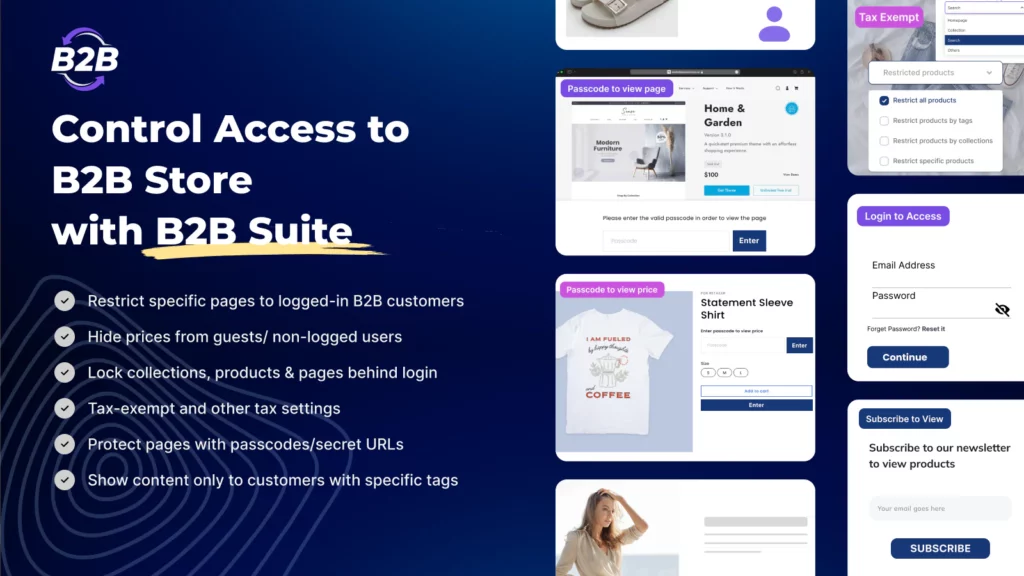
Best for: Stores that need to restrict more than pricing, including pages, products, collections, variants, or price visibility.
Catalogs already give Shopify merchants a native way to control which products B2B customers can access. In a blended store, however, all products are available to both B2B and D2C customers by default until the merchant configures that segmentation.
The requirement becomes different when access needs to extend beyond catalog assignment.
For example, a merchant may want to:
- hide a wholesale landing page from retail customers;
- show a collection only to logged-in trade accounts;
- hide pricing until a buyer has been approved;
- give selected customers access to a temporary BFCM range;
- hide particular variants instead of the entire product;
- make a private offer accessible through a passcode or link.
Shopify specifically notes that merchants can use third-party locking apps when they want to hide entire pages from D2C customers or anyone who is not logged in.
BSS B2B Lock extends that type of control to prices, products, collections, pages, and individual variants. Its Shopify App Store listing currently highlights price locking, product and collection visibility, and variant-level visibility controls.
BFCM example: one storefront, two campaigns
Consider a brand selling both directly to consumers and to independent retailers.
Its public BFCM campaign could include selected retail products, a free-gift threshold or standard consumer checkout. Approved wholesale accounts could instead see: their regular trade range, a wholesale-only restock offer, bulk variants that do not appear publicly, or their normal B2B pricing and purchasing rules.
Both experiences can sit under the same store without making every campaign asset visible to every customer. That is where Lock has a clearer role than simply describing it as a password-protection app.
3. BSS B2B Request a Quote, Order: for large orders that need more than native quick ordering
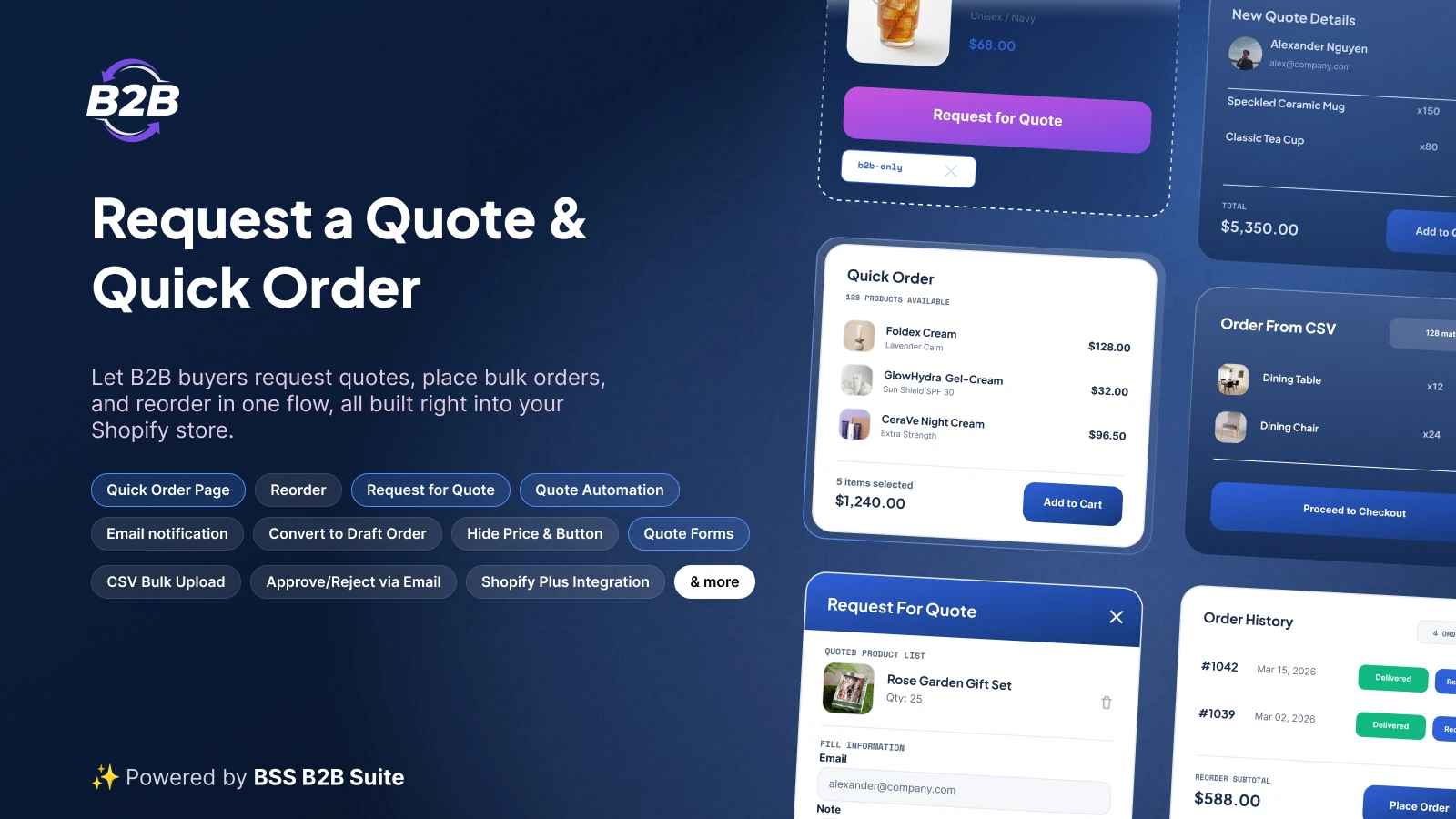
Best for: Merchants whose larger B2B orders involve negotiation, RFQ approval, CSV order entry, or repeat purchasing.
Shopify already provides a native Quick Order List, so “buyers need to order multiple variants quickly” is no longer enough on its own to justify another app.
The difference appears when bulk ordering is connected to a broader sales process. A distributor may know exactly which 40 SKUs it needs but want to upload them from a spreadsheet. Another buyer may want pricing approved before placing a large order. But an existing account may simply want to repeat last month’s purchase.
BSS B2B Request a Quote, Order combines these workflows. The app currently supports customizable RFQ forms, merchant quote proposals, quote-to-order conversion, Quick Order pages, CSV uploads, cart-to-quote, and one-click reordering from order history.
Where it fits during BFCM
Here are some buyer scenarios for you to determine whether this app is beneficial to your store:
- Standard B2B order: The buyer knows the price and quantity and can use Shopify’s normal B2B checkout.
- Large repeat order: The buyer already knows the SKUs and can use Quick Order, CSV upload, or reorder from previous history.
- Negotiated order: The buyer submits a quote request, the merchant proposes pricing or terms, and the approved quote becomes an order.
The latter two scenarios truly justify adding more workflow than Shopify’s native ordering experience already provides. Shopify’s own blended-store setup checklist identifies quoting workflows and CSV order uploads as examples of B2B use cases that can be supported through third-party apps.
Further reading Best 11 Shopify Quote Apps for Easy Quote and Custom Pricing Discover best Shopify Quote Apps for your storeHow the BSS B2B Solutions apps fit together
The three apps cover different points in the buying journey rather than three versions of the same wholesale functionality. All three apps combined into a complete B2B Suite solving most if not all the pain points for merchants who run both B2B and B2C within the same store.
| Stage | Question | BSS B2B Solutions app |
|---|---|---|
| Access | Who should be able to see this product, price, collection, or page? | BSS B2B Lock |
| Commercial terms | Which price, quantity rule, tax treatment, or purchasing condition applies? | BSS B2B Wholesale Pricing |
| Ordering | Does this buyer check out normally, reorder in bulk, or request a negotiated quote? | BSS B2B Request a Quote, Order |
Campaign and conversion layer
4. Klaviyo: for separating B2C and B2B BFCM communication
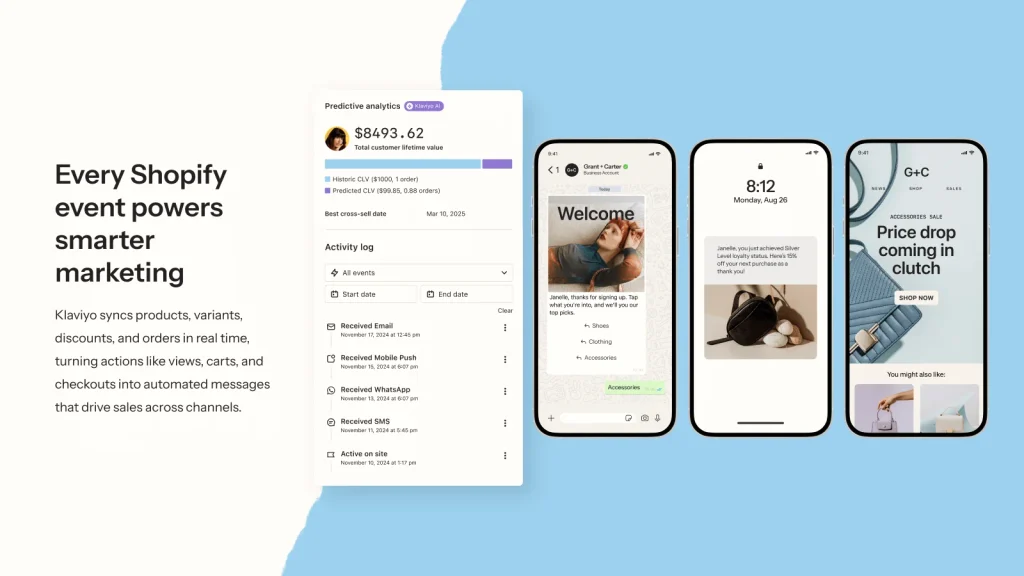
Best for: Merchants sending different campaign messages to retail buyers, wholesale accounts, prospects, and VIP customers.
Segmentation should continue into marketing. A consumer receiving a “30% off this weekend” email and a wholesale account with existing trade pricing do not necessarily need the same message, even if they ultimately land on the same Shopify domain.
Klaviyo supports email, SMS, WhatsApp, segmentation, and automated workflows using Shopify and connected customer data. For a blended BFCM store, useful segments might include:
- D2C subscribers;
- approved B2B companies;
- wholesale applicants who have not yet been approved;
- inactive trade accounts;
- VIP retail customers;
- customers who purchased during the previous BFCM period.
The BFCM benefit is straightforward: promotions, timing, and copy can follow the customer’s commercial relationship with the business instead of using one campaign for the entire database.
Do note that segmentation in email does not replace pricing eligibility inside Shopify. The campaign audience and the actual discount rules should be tested separately.
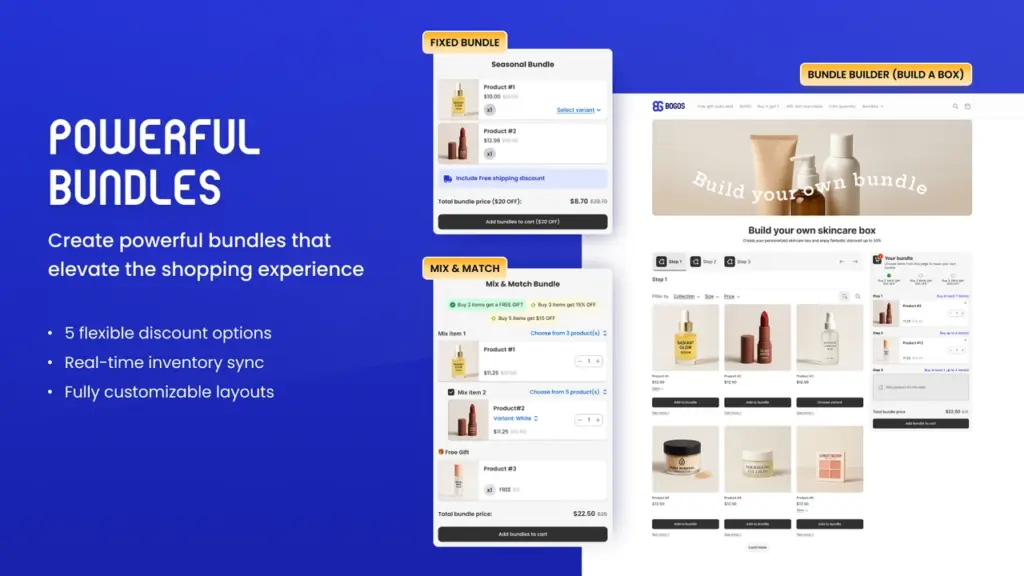
5. BOGOS: for consumer-facing BFCM gifts, BOGO offers, and bundles
Best for: Stores using more than a standard percentage discount on the B2C side of the business.
For retail customers, BFCM campaigns may use free gifts, Buy X Get Y promotions, bundles, quantity breaks, or other incentives instead of one sitewide discount.
BOGOS supports free gifts with purchase, BOGO/BXGY offers, bundles, upsells, and volume-based promotions. Its role in this list is primarily on the consumer campaign side of a blended store. The more important issue for B2B merchants is what happens when the promotion meets wholesale pricing.
Before launch, you should test:
- wholesale pricing + automatic discount;
- wholesale pricing + free-gift threshold;
- volume pricing + bundle offer;
- B2B accounts entering through a public campaign link;
- products that appear in both retail and wholesale catalogs.
Shopify already allows B2B discounts and market-based discount eligibility, so some promotions can be built natively. BOGOS is more relevant when the promotion mechanic itself requires a richer gift or bundle setup.
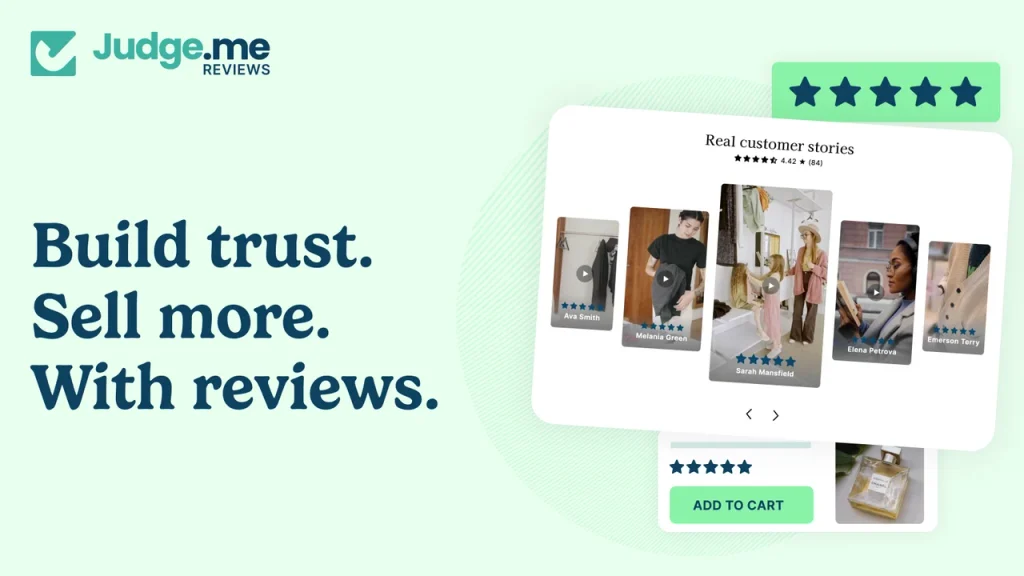
6. Judge.me: for first-time BFCM visitors who need more product evidence
Best for: Stores expecting a large influx of shoppers who have little prior familiarity with the brand.
Judge.me is the least B2B-specific app in this stack, but it covers a common BFCM conversion issue: new visitors arriving on product pages without an existing relationship with the brand.
The app provides product reviews, ratings, review widgets, Q&A, and other forms of customer-generated proof. That can matter in blended businesses where the company may already be well known among distributors or trade buyers but less established with consumers.
For BFCM, review coverage should be checked before campaign traffic arrives. Products featured prominently in ads or landing pages should not suddenly become the least informative product pages on the store.
Remember that additional review widgets and scripts should be tested for storefront performance alongside the rest of the BFCM app stack.
Operations layer
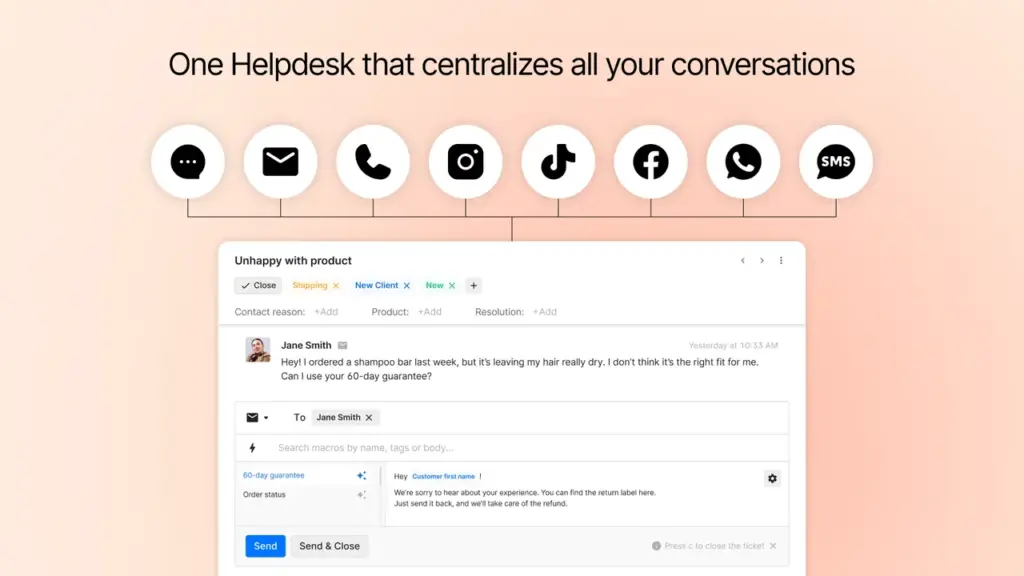
7. Gorgias: for handling the support questions generated by BFCM
Best for: Stores expecting significantly more pre-sale, order, and delivery questions during the campaign.
A B2B/B2C hybrid store can receive two quite different sets of enquiries. While etail shoppers may ask about delivery deadlines, returns, stock, or promotion eligibility, wholesale buyers may ask about case quantities, lead times, freight, bulk availability, or payment terms whether a public BFCM offer affects their normal pricing.
Gorgias combines support across channels including email, chat, social, voice, and SMS in one ecommerce helpdesk, with automation for repetitive support work and routing for conversations that need a person. For BFCM, the useful setup is not to automate every enquiry. Common questions such as shipping status or basic policy information can be handled efficiently, while pricing negotiations and high-value wholesale enquiries can be routed to the relevant team.
Watch for: build and test support rules before the campaign. A busy BFCM week is a poor time to discover that a high-value wholesale message has been categorized like a standard FAQ.
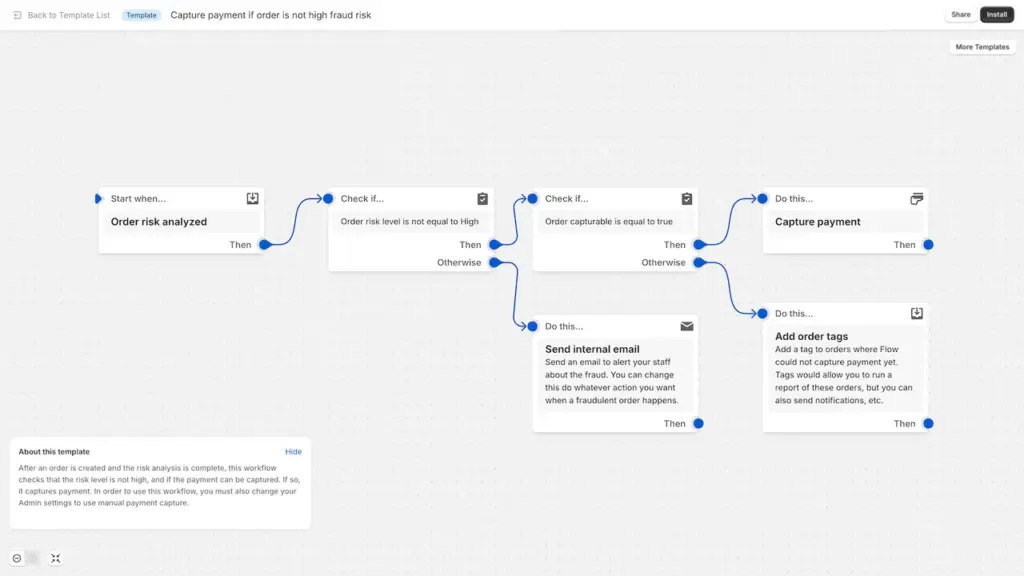
8. Shopify Flow: for automating repetitive BFCM and B2B admin work
Best for: Merchants whose team is still performing repeatable order, customer, or inventory actions manually.
Shopify Flow is already included across Shopify’s B2B plans and supports B2B objects. Shopify also provides B2B workflow templates as part of its blended-store setup guidance.
Flow can automate workflows across areas including orders, fulfillment, inventory, marketing, fraud prevention, and connected apps.
Useful BFCM examples include:
- tag orders that meet B2B or high-value conditions;
- notify staff when selected inventory drops below a threshold;
- route large orders for internal review;
- automate customer tagging;
- trigger internal notifications for specific company or order conditions;
- pass actions between supported apps.
The value rises with volume. A manual task that takes 20 seconds per order becomes more significant when it appears hundreds of times over one weekend. Because Flow is native and free, it is worth checking before installing another automation app for a workflow Shopify can already handle.
9. Matrixify: for large catalog, customer, and B2B data changes
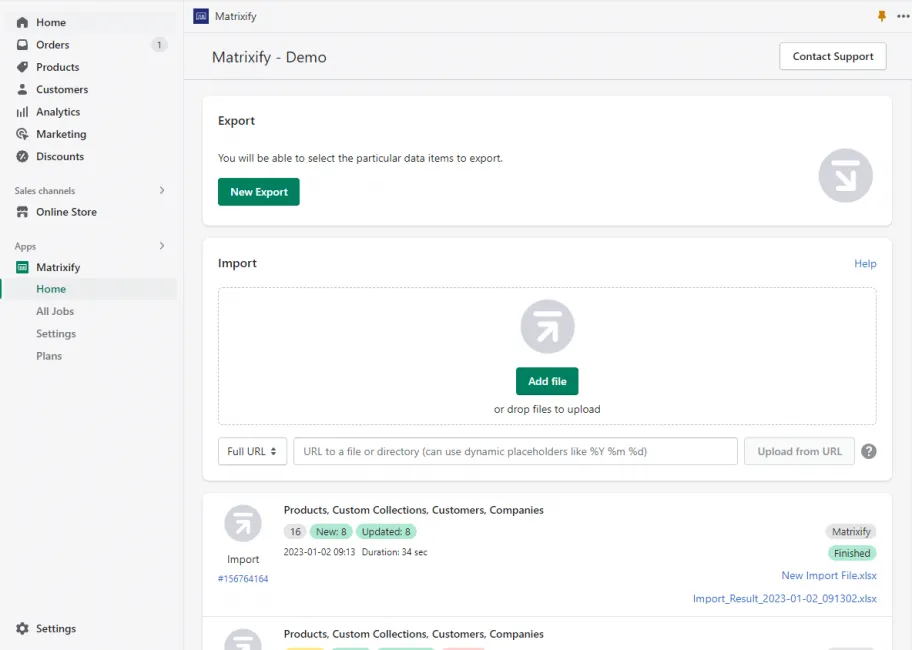
Best for: Merchants preparing a large number of products, customers, companies, discounts, or other Shopify records before BFCM.
BFCM preparation often includes data work that is manageable at 50 products and much less pleasant at 5,000. Matrixify supports bulk import, export, update, backup, and migration for Shopify data. Its supported data types include products, collections, customers, discounts, orders, draft orders, and B2B Companies, among others.
A larger blended store might use it to:
- update products before the campaign;
- manage B2B company data in bulk;
- prepare or edit large customer datasets;
- export a backup before significant catalog changes;
- update discounts or related data;
- reverse temporary changes after the campaign.
Matrixify is mainly a preparation and operations tool rather than a storefront conversion app. Its value depends heavily on scale. A small catalog may be easier to manage directly in Shopify; a catalog with thousands of records changes the calculation.
10. AfterShip Order Tracking: for managing higher shipment volume after checkout
Best for: Merchants expecting enough BFCM fulfillment volume that shipment-status enquiries become a support problem.
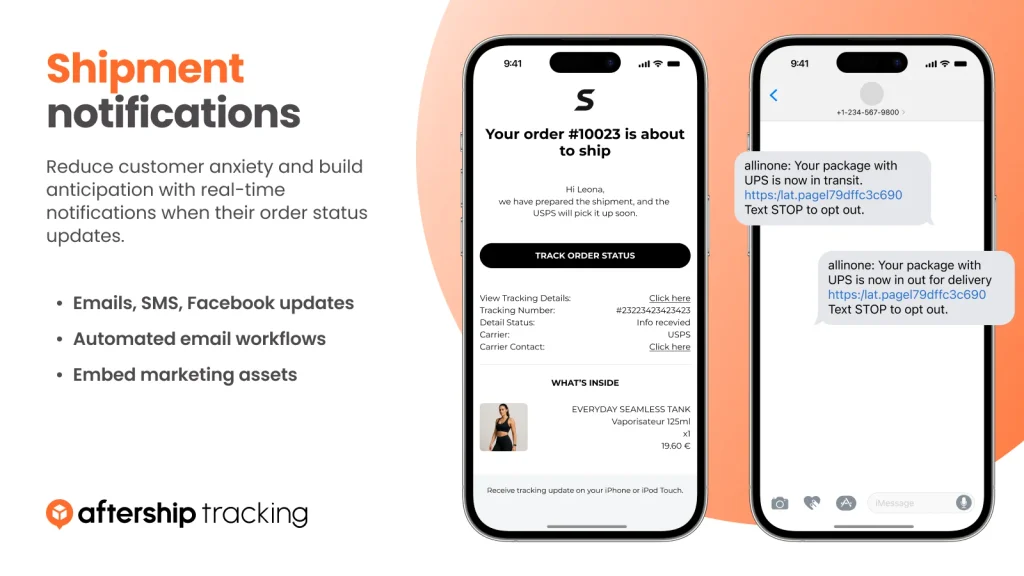
A BFCM tech stack still has work to do after the order is placed. AfterShip provides branded order tracking, automated shipment notifications, centralized shipment monitoring, and carrier tracking across more than 1,100 carriers.
For retail customers, that can reduce repetitive “Where is my order?” enquiries. For wholesale accounts, visibility may matter for a different reason: the shipment can contain inventory needed for their own store, project, or customer orders. This makes AfterShip complementary to a support platform such as Gorgias. Tracking information can be made self-service, while exceptions such as lost, delayed, or split shipments can be escalated to the support team.
Before picking this app, it’s crucial to ask yourself whether Shopify’s existing order-status and notification setup already covers the customer experience you need, another tracking app may not be necessary.
What one blended BFCM setup could look like
The apps make more sense when viewed as parts of two buying journeys rather than ten isolated products.
Retail customer
Wholesale customer
The store, inventory, and Shopify admin can remain shared. The commercial experience does not have to be identical. That distinction is the main reason a blended-store BFCM stack looks different from a standard D2C app list.
Shopify native B2B vs app layer: a quicker way to decide
Before installing anything, map the requirement against what Shopify already offers.
| Requirement | Shopify native option | When another app becomes relevant |
|---|---|---|
| Companies & company locations | Native on supported plans | Usually no extra app required |
| B2B product catalogs | Native | More tooling may be needed if the native structure does not match the segmentation model |
| Fixed B2B prices | Native catalogs | Additional app for different customer/variant pricing workflows |
| Volume pricing | Native | Additional pricing logic or rule structures |
| Quantity min/max/increments | Native | Additional order controls depending on the workflow |
| Payment terms | Native | Extra workflow only if native terms do not fit |
| Wholesale account requests | Shopify Forms + native approval | More complex or conditional registration forms |
| Quick Order List | Native | CSV upload, multiple quick-order experiences, or other bulk-order workflows |
| Easy reorder | Native | More specialized reorder experience if needed |
| Hide full pages from D2C/guests | Third-party app recommended by Shopify | BSS B2B Lock |
| Granular product/variant/price gating | Limited by native setup | BSS B2B Lock |
| RFQ & price negotiation | Third-party workflow | BSS B2B Request a Quote |
| Quote-to-order workflow | Third-party workflow | BSS B2B Request a Quote |
| CSV order upload | Third-party workflow | BSS B2B Request a Quote |
| Customer-specific pricing on non-Plus | Native direct company catalog assignment unavailable | Evaluate whether BSS Wholesale Pricing fits the pricing model |
| Bulk management of B2B Companies | Shopify admin supports company management | Matrixify for larger bulk operations |
Shopify itself identifies third-party quoting workflows and CSV order upload as useful extensions to a B2B setup, while full-page gating can also require a third-party app.
This is a better way to choose apps than treating every feature with the word “wholesale” in it as mandatory.
Test four buyer types before BFCM goes live
App configuration should be tested as an end-to-end buying experience, not feature by feature. For a blended store, use at least four test profiles as we listed below:
Guest visitor
Check whether:
- public BFCM pricing displays correctly;
- restricted wholesale products remain hidden where intended;
- hidden prices stay hidden;
- campaign landing pages work without login;
- promotional gifts or bundles trigger correctly.
Logged-in retail customer
Check whether:
- retail pricing remains correct after login;
- B2B customer rules are not triggered accidentally;
- discounts and gifts apply as expected;
- checkout reflects the advertised promotion.
Approved wholesale customer
Check whether:
- the correct catalog or products appear;
- the expected wholesale pricing is used;
- public discounts stack only when intended;
- quantity rules and increments work;
- tax, shipping, and payment terms are correct;
- retail-only or restricted BFCM offers stay separated where required.
The discount test is particularly important. Shopify states that discounts eligible for all customers, specific customers, or customer segments can apply to both B2B and D2C buyers in a blended store by default.
Large or repeat B2B buyer
Check whether:
- many SKUs can be added without excessive product-by-product navigation;
- native Quick Order covers the requirement;
- CSV upload works if you offer it;
- previous orders can be repeated;
- quote forms capture the information the sales team actually needs;
- proposed quotes can be approved and turned into orders correctly.
Then complete test orders rather than stopping at the storefront. Review the resulting order in Shopify admin, including discounts, customer/company association, tax, shipping, payment status, tags, emails, and any workflows sent to connected systems.
You probably do not need all 10 apps
Treat this list as a menu, not an installation checklist. Adding another app to a pricing or checkout workflow also adds another rule that needs to be tested before BFCM. For example, a relatively simple blended store might use Shopify native B2B + BSS B2B Lock + Klaviyo + AfterShip because native catalogs and pricing already cover its wholesale structure, while additional storefront access control is still required.
A wholesale-heavy store with more complex commercial rules might instead use: BSS B2B Wholesale Pricing + BSS B2B Lock + BSS B2B Request a Quote + Shopify Flow + Matrixify
A merchant with straightforward B2B pricing but negotiated large orders might keep Shopify’s native pricing and use only the quote/order workflow.
The same principle applies to the non-B2B apps. If your existing email, review, helpdesk, or tracking tools already handle BFCM volume, replacing them simply to create a new seasonal stack adds unnecessary work.
Further reading 10 Best Shopify Wholesale Apps in 2026 (Free & Paid, Reviewed) Our curated selection of the best Shopify Wholesale apps that can leverage your storeBFCM checklist for a blended B2B and B2C store
Before the campaign begins, confirm:
- which BFCM offers are for D2C customers;
- whether any offers also apply to B2B buyers;
- which price takes precedence when multiple pricing or discount rules apply;
- which products, pages, and prices each customer type can see;
- whether public discounts can stack with B2B catalog pricing;
- whether free gifts, bundles, or BOGO offers work for logged-in wholesale accounts;
- whether MOQ, maximum quantities, and increments remain correct;
- whether native Quick Order is sufficient for large buyers;
- whether buyers requiring negotiation can request a quote;
- whether repeat buyers can reorder efficiently;
- whether B2B and B2C campaign audiences are separated correctly;
- what happens when campaign inventory becomes low;
- how high-value wholesale enquiries reach the right person;
- whether shipment tracking can handle the additional order volume;
- whether all critical journeys have been tested with actual orders.
The purpose of the stack is to keep both journeys working correctly while the store is under more traffic, more promotional activity, and more operational pressure than usual.
Frequently asked questions
Does Shopify support B2B on Basic, Grow, and Advanced in 2026?
Yes. Shopify expanded its foundational B2B features to Basic, Grow, and Advanced on April 2, 2026. These plans now support features including companies, company locations, catalogs, volume pricing, quantity rules, payment terms, Quick Order, and Shopify Flow automation.
Basic, Grow, and Advanced can assign up to three active catalogs across B2B Markets. Shopify Plus retains additional capabilities such as unlimited market catalogs, direct catalog assignment to individual companies and company locations, deposits, and partial payments.
Do I still need a Shopify B2B app in 2026?
Not necessarily.
Start with Shopify’s native B2B tools and identify the requirement they do not cover.
An additional app may make sense for workflows such as granular storefront locking, more complex wholesale pricing or registration logic, quote negotiation, quote-to-order conversion, or CSV bulk ordering.
If native Shopify already handles the workflow correctly, adding another layer is unlikely to make BFCM preparation simpler.
Can B2B and B2C customers receive different BFCM discounts?
Yes.
Shopify lets merchants use B2B Markets when setting discount eligibility. This matters because in a blended store, discounts eligible for all customers, specific customers, or customer segments apply to both B2B and D2C customers by default.
Merchants running separate retail and wholesale campaigns should therefore check discount eligibility as well as the advertised price.
When should I test my BFCM apps?
Before campaign traffic arrives, and after the major pricing, catalog, promotion, and automation rules are in place.
For a blended store, test at least one guest, one retail customer, one approved B2B customer, and one large or repeat B2B buyer. Complete actual test orders so you can verify the storefront, checkout, Shopify admin, notifications, discounts, tax, shipping, and connected workflows together.
Black Friday 2026 falls on November 27, followed by Cyber Monday on November 30.
You may also like

10 Best Shopify Wholesale Apps in 2026 (Free & Paid)
A successful, long-term wholesale setup on Shopify often starts with choosing the right app. But one thing changed the calculus this year. […]

Best 11 Shopify Quote Apps for Easy Quote and Custom Pricing
Are you looking to provide custom quotes or flexible pricing on your Shopify store? Fortunately, there are apps to make it professional. […]

Top 10+ Best Checkout Apps for Shopify in 2025
The checkout process is everything for turning potential buyers into potential sales. And the best part is there are a few shining […]