


So Posh, a professional dog grooming brand with a European and a US store, sells to stockists through a Become a Stockist page and a Quick Order list. BSS B2B Solution sets their prices by customer tag, variant by variant, and adds tax display, price lists and an order minimum on top.
About So Posh
So Posh sells professional coat care for dogs and a smaller range for cats. Its meta description sums up the brand’s pitch: the world did not need another grooming product, so it created a new way to think about professional coat care. The home page headline claims the fastest growing grooming brand in the world and says top groomers, handlers and breeders are switching to So Posh. The footer names So Posh LLC, and the store runs in euros, with an offer to redirect visitors to a US store.
The catalog is organized by coat, which is how groomers think. Collections include rough and double coats, silky drop coats, puffy coats, harsh coats, color restoration and styling, with shampoos, conditioners, detanglers, a deshedding shampoo and a black coat shampoo inside them. Most products come in 250 ml, 1 L and 4 L sizes. The small bottle suits a pet owner, and the 4 L container suits a grooming salon that goes through product every week.
That split between the owner at home and the professional in the salon is why the store has a trade layer. The home page names groomers, handlers and breeders as its core audience, and a stockist program is the natural channel for them.
The B2B model: stockists, not self-service sign-up
So Posh’s public entry point to its trade program is a short page. The main navigation has Shop, Become a Stockist, Blog and Quick Order. The Become a Stockist page holds a heading, a mission line (to make the world a happier place, one dog at a time) and an invitation to get in touch and discuss business opportunities. We saw no registration form on the page when we looked, so stockist accounts appear to start with a conversation.
That is a legitimate way to run wholesale, and it changes what the software has to do. The app does not need to approve applicants. It needs to price accounts that already exist, and the configuration we can see is built for that: many pricing rules, targeted by customer tag.
The owner’s public review explains the timing. The store switched to BSS B2B Solution after Shopify’s update to Markets, which in the owner’s words rendered all other B2B apps obsolete. The review also says the BSS team was incredibly helpful with the full installation and knowledgeable about the nitty-gritty of the app.
How the storefront handles wholesale
Quick Order opens a wholesale price list
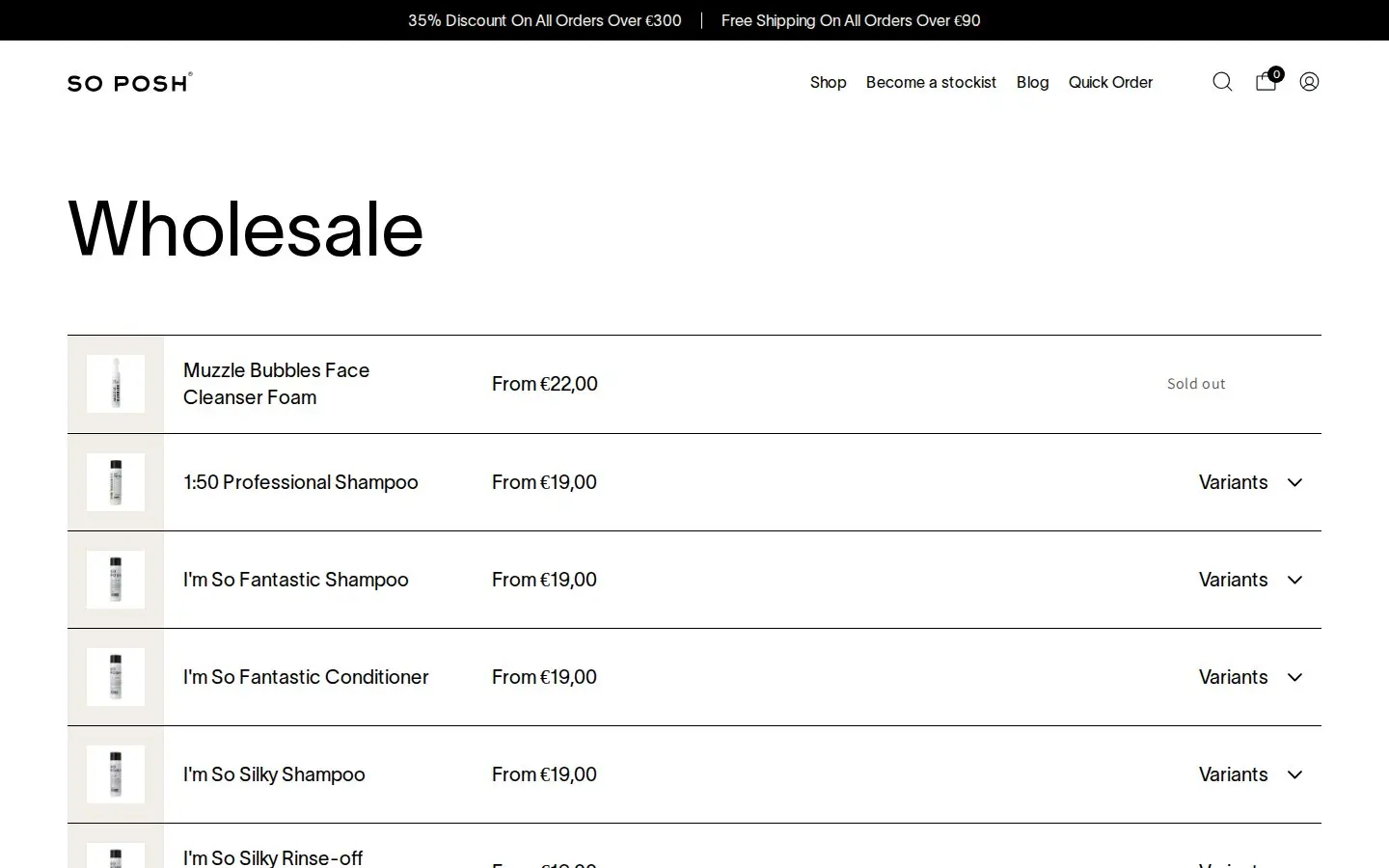
The Quick Order link in the header leads to a page titled Wholesale. It lists products in rows, each with a name, a From price and, for products with sizes, a Variants control that expands to the 250 ml, 1 L and 4 L options, each with its own price and availability. The layout follows the quick-order pattern: one row per product, with the sizes inside the row, so a buyer who knows what they need can scan a whole catalog on one screen instead of opening a product page per item.
The page is open to guests, and the prices it shows are the public prices. A stockist who is logged in with a tagged account sees the account’s prices instead, which is how the same page serves visitors and trade buyers. We did not log in, so the logged-in view is inferred from the pricing rules described below.
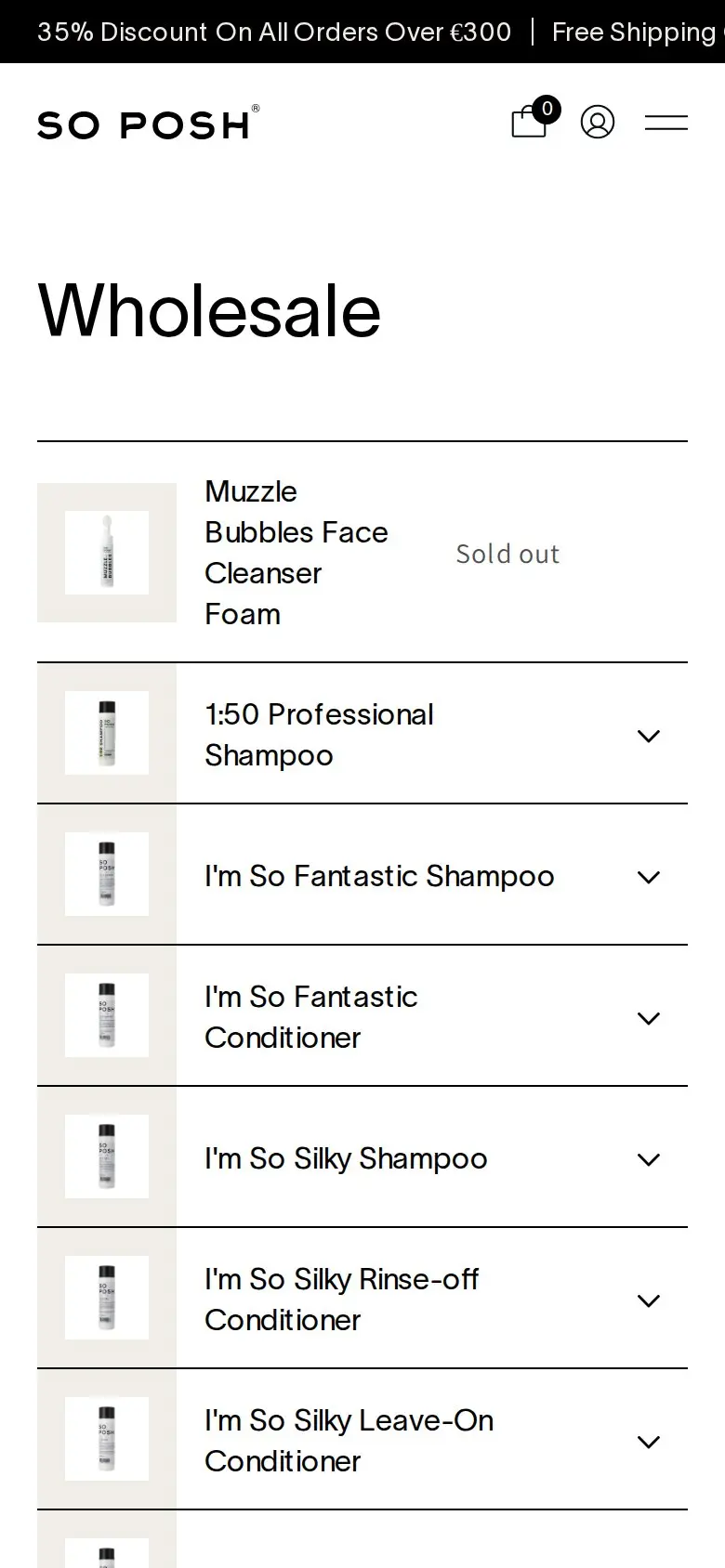
On a phone the rows stay readable: the product name wraps and the arrow opens the sizes. That matters because a groomer often reorders between appointments.
Promotions in the announcement bar
A black bar above the header announces two offers: 35% off all orders over €300, and free shipping on all orders over €90. Those are offers for the whole store. We cannot see which tool applies them, and nothing here claims BSS B2B Solution does. They are store-wide offers, so the wholesale rules aim at a different goal: a fixed, predictable price for known accounts.
Which BSS B2B Solution features power it
We compared the storefront with the app’s production configuration: a read-only check of which modules have active rules, with no customer or order data. Discount values and prices are not published here.
| Feature | What we found | Learn more |
|---|---|---|
| Custom pricing | A large set of rules aimed at customer tags and set at variant level, mostly fixed prices, plus a rule for specific customers | Tagged customer prices |
| Price list | Active price lists targeted by customer tag, set at variant level | Price list per buyer group |
| Tax display | An active rule that shows prices with or without tax to tagged customers | Prices excluding VAT for business buyers |
| Order limits | An active minimum order amount rule | Minimum order quantity and value |
| Discount code | Active code rules targeted by customer tag | Discount codes |
| Manual orders | The module is in use, for orders a team member places for an account | Orders on behalf of customers |
A fixed price per variant and tag
The variant-level rules are the heart of the setup. A fixed price rule says that a tagged customer pays exactly this amount for this size of this product, instead of a percentage off the retail price. For a brand with three sizes per product and several lines, that is the clean way to give stockists a stable wholesale catalog: the price does not drift when the retail price changes or when a sale runs. Keeping that many rules maintainable is a job for import and export, and the app supports both, so the price book can live in a spreadsheet. See importing wholesale prices from CSV.
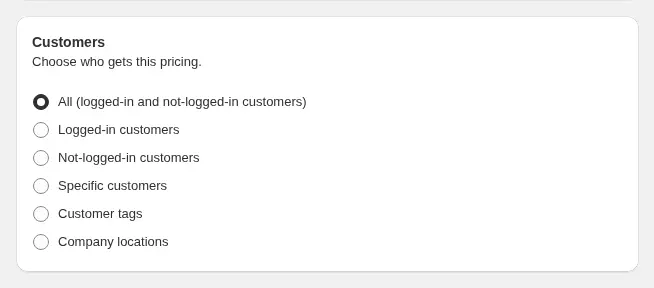
The rule’s customer options include customer tags, which is what So Posh’s rules use. When many rules could apply to one product, each rule carries a priority number from 0 to 99, and a lower number wins. The guide on how rule priority works explains the order.
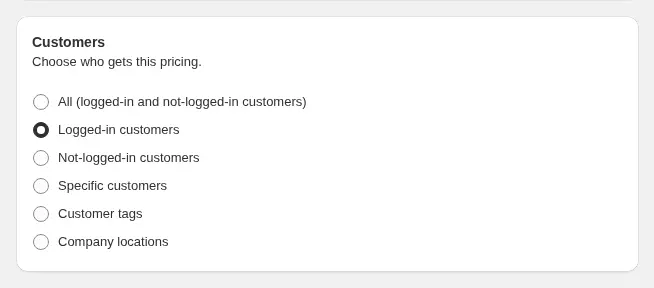
The price lists give a second way to set prices per tag and variant. A price list is a table of products and prices for a group of customers, which is easier to review than a pile of individual rules when a stockist asks what they pay. When a price list and a custom pricing rule both set a price for the same variant, the price list wins.
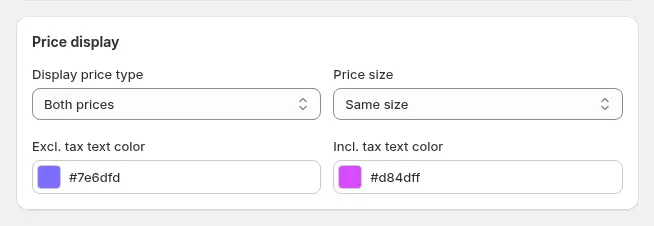
A tax display rule lets tagged customers see prices with tax, without tax or both. A European business buyer usually thinks in prices without VAT, while a consumer expects the price they will pay. Having a rule for tagged customers lets the same store show each audience the number they use. The tax display guide covers the options.
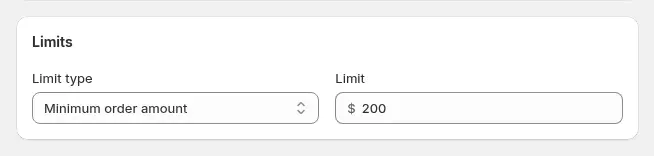
The minimum order amount keeps stockist orders to a size that justifies freight and handling. Because the store also advertises free shipping over a threshold, a minimum that suits the trade is a useful companion.
Markets and multi-store
So Posh runs a European store and offers a US store, and the review says the move to BSS came with Shopify’s Markets update. BSS rules can be limited to specific markets, and a use case shows how to give wholesale buyers a different price per country: wholesale prices per market. We cannot see whether So Posh uses that condition.
One practical note for brands that run more than one store. A visitor from Vietnam was offered a redirect to the US store when we looked, and BSS B2B Solution is installed per Shopify store, so its rules, tags and price lists belong to the store they were built in. If you sell wholesale in two regional stores, plan the tags and rules for each one, and keep a shared table so a stockist who orders in both is treated the same way.
What other merchants can copy
- Open a stockist page even if you do not have a form. A short page with a mission line and a contact path tells interested shops where to start.
- Use fixed prices for a stable wholesale catalog. A price per variant and tag does not move when retail prices change.
- Keep the price book in a spreadsheet. With over a hundred rules, import and export are what make the setup manageable.
- Offer a quick order list. A page with one row per product and a quantity input saves a repeat buyer several clicks.
- Show business buyers the tax view they use. A tax display rule for tagged accounts avoids confusion about VAT.
- Set a minimum order for the trade. It should sit above your free shipping threshold for consumers or match it.
- Document who gets which tag. With rules driven by tags, a short internal table of tag names and meanings prevents mistakes.
So Posh’s review
So Posh left a public review of BSS B2B Solution on the Shopify App Store: 5 out of 5 stars, on April 8, 2025, after eight days of use. Quoted verbatim:
"Switched over after the update to Shopify Markets which rendered all other B2B apps obsolete. The app works. The team is incredibly helpful with the full installation and knowledgeable of the nitty-gritty of the app."
So Posh, public review on the BSS B2B Solution listing, 5 stars, April 8, 2025
It is an early review, written a week into the install, so it speaks to onboarding and fit rather than long-term results. It does show what pushed this store to change: a platform update that altered how B2B works on Shopify, and a need for pricing rules that work alongside Markets.
FAQ
Do I need a registration form to run a wholesale program?
No. A store can open trade accounts by conversation and then tag the customers, as So Posh does with its Become a Stockist page. The pricing rules read the tags. A form helps when you want self-service applications; see registration form with approval.
Is a fixed price better than a percentage discount for wholesale?
A fixed price gives a stable wholesale price that does not change with retail promotions, while a percentage keeps wholesale tied to retail. Many brands with a fixed catalog use fixed prices for stockists and percentages for sales.
Can I show wholesale buyers prices without VAT?
Yes. A tax display rule can show prices with tax, without tax or both to selected customers, including tagged accounts. See prices excluding VAT for business buyers.
How do I manage hundreds of price rules?
Import and export them as CSV files, so the price book is maintained in a spreadsheet and loaded into the app.
Does BSS B2B Solution work with Shopify Markets?
BSS rules can be limited to specific markets, and the app can show converted prices at Shopify’s exchange rates on Advanced plans and above. See the use case on wholesale prices per market for how to set a different price per country.
This store spotlight is based on So Posh’s public website and its public review on the Shopify App Store, as of October 5, 2026. Screenshots show the public storefront. Admin screenshots are labelled examples from the BSS user guide, and the descriptions of active features come from a read-only check of feature configuration.