To sell furniture and home decor to dealers on Shopify with trade prices, quantity breaks and order limits, use BSS B2B Solution to give approved dealers a registration form, a dealer-tag Custom Pricing rule, Volume Pricing tiers by quantity or order amount, a minimum or maximum order with Order Limits, and Discount Code rules limited to dealers. For made-to-order pieces, add BSS B2B Quote so a dealer can request a price instead of buying at list.
This guide is for makers, importers and distributors of furniture, tiles, lighting and home decor, where each item is expensive to pick, pack and ship, and the buyers are a smaller group of dealers, designers and trade accounts. It covers who this fits, the setup in six steps, a worked example with prices and a code, and the limits to know, including that order limits and discount codes are storefront checks.
Who this is for
The dealer setup fits you if several of these are true:
- You sell high-value or bulky items to dealers, designers, contractors and showrooms, as well as to retail shoppers.
- Dealers expect a better price on a bigger order, by units or by order value.
- Small orders cost you more to pick and ship than they earn, so you need a minimum order.
- You hand out discount codes to selected dealers, and you do not want those codes to reach retail shoppers.
- Some pieces are made to order, so a fixed list price is not honest.
If you only need to hide trade prices from the public, start with hide wholesale prices from guest visitors.
Why this matters
Large items change the economics of an order. A single dealer order of tables or tiles can fill a pallet, so the size of the order decides your freight, your handling and your margin. Dealers know this and expect a bigger order to earn a better price. If every deal is negotiated by email, you spend your time quoting instead of selling, and a discount code you emailed to one dealer ends up in a retail coupon forum.
Two stores from our case studies show the pattern. Mesa Well, a US maker of handcrafted furniture and boards, uses a styled registration form, Custom Pricing, Quantity/Amount Break, Order Limits and Discount Codes. Raven, a UK seller of Japanese tiles, uses a wholesale registration form and quantity breaks, shown on both main products and sample products. Read the Mesa Well and Raven case studies, and see how Walston Architectural Products used a trade program form for interior designers and architects.
How to set it up with BSS B2B Solution
The steps follow the dealer’s path from application to order.
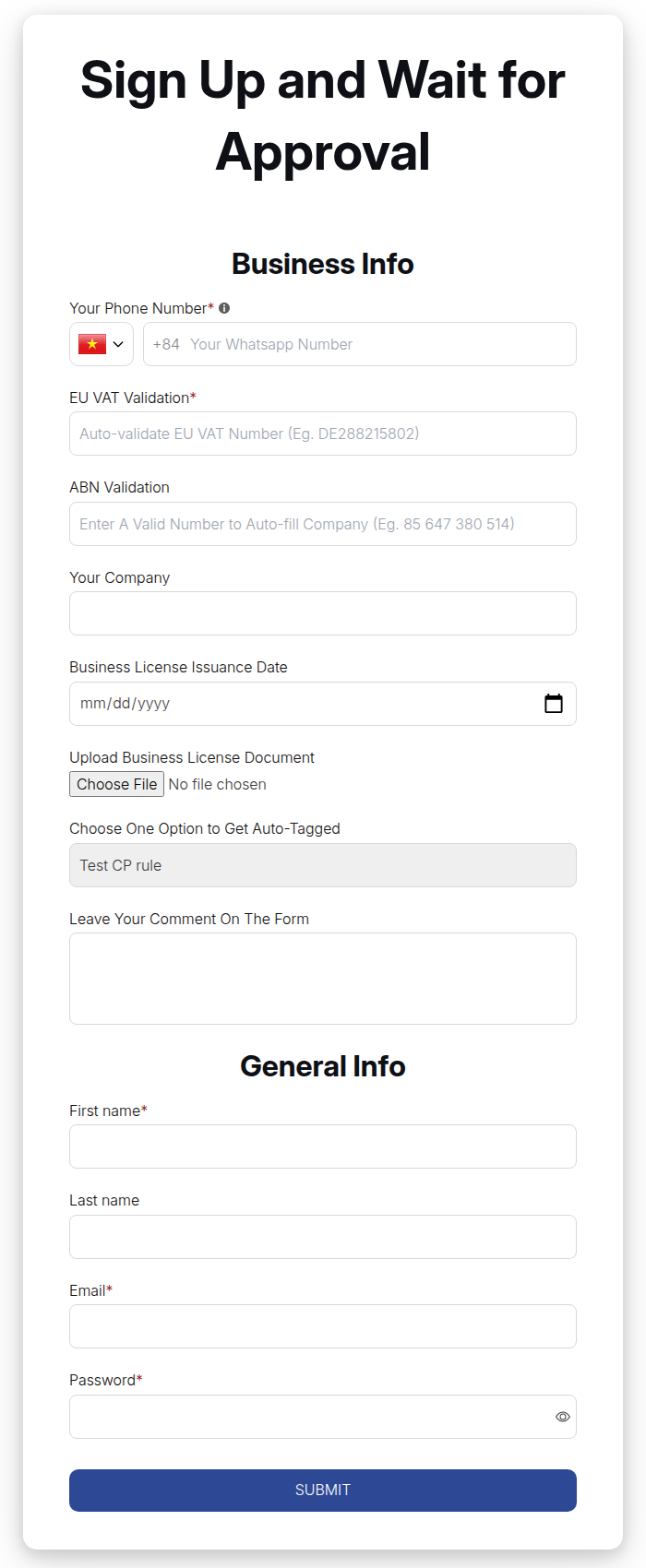
Step 1: Add a dealer registration form
Create a registration form in your brand style, collect business details, and assign a dealer tag when you approve an account. A styled form matters for design-led brands, because the form is the dealer’s first contact with your trade program. See wholesale registration form with approval for the full setup.
Step 2: Set dealer prices
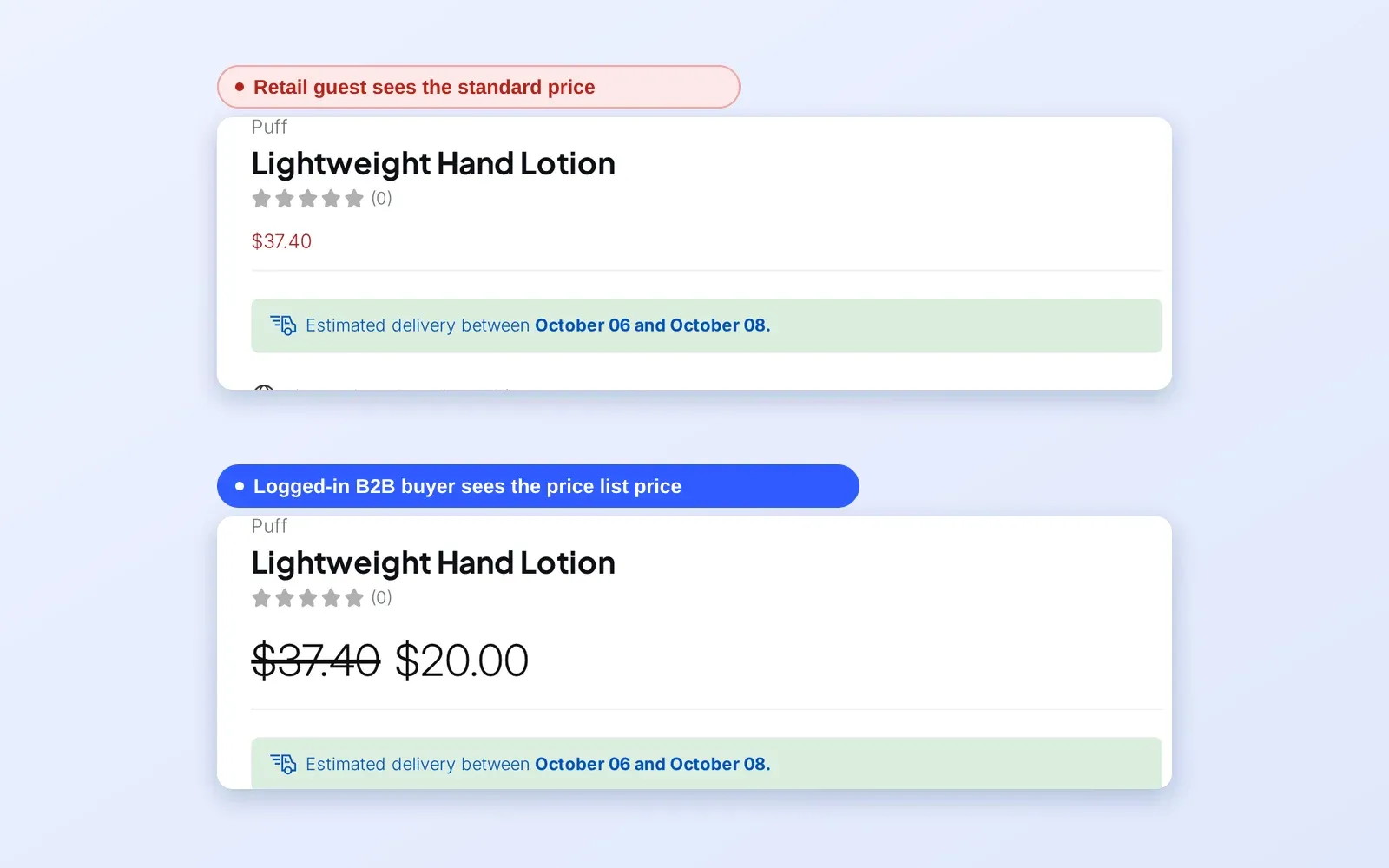
Create a Custom Pricing rule that targets the dealer tag, on all products or on chosen collections, with a percentage off or a fixed price. Only approved, tagged dealers who are logged in see the dealer price. See wholesale price by customer tag.
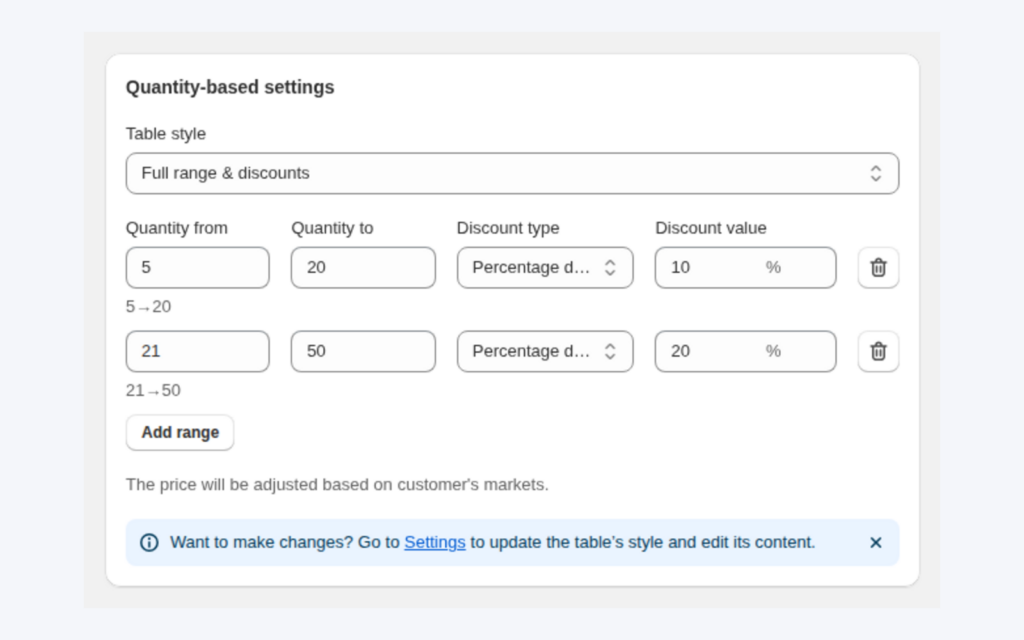
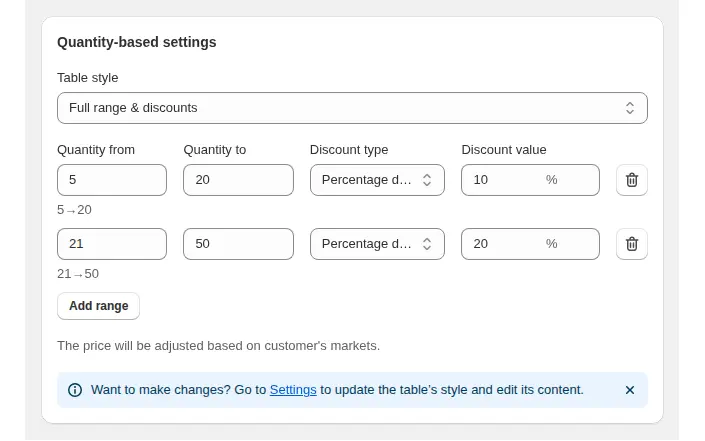
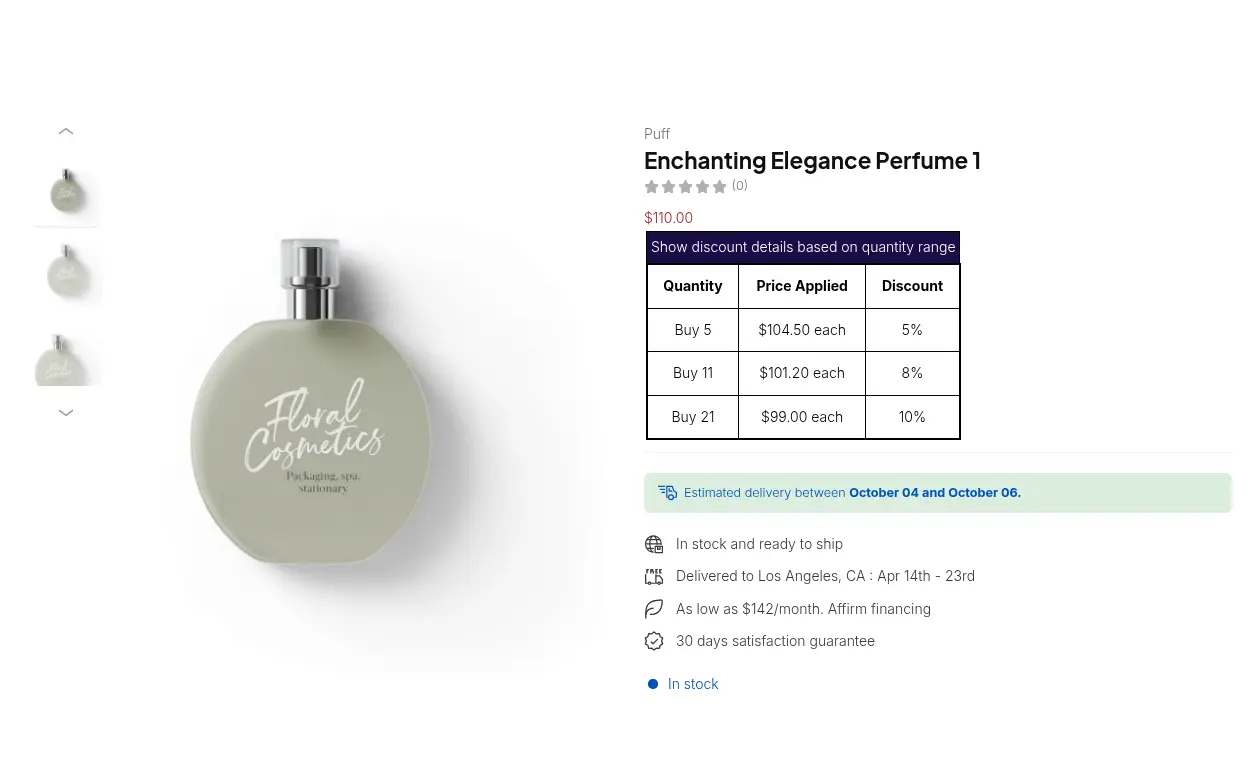
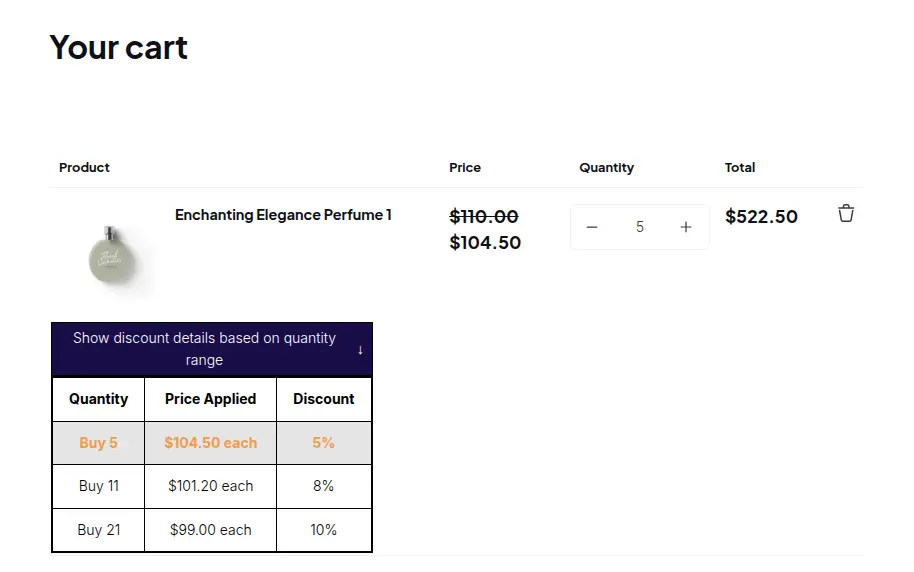
Step 3: Add quantity or amount breaks
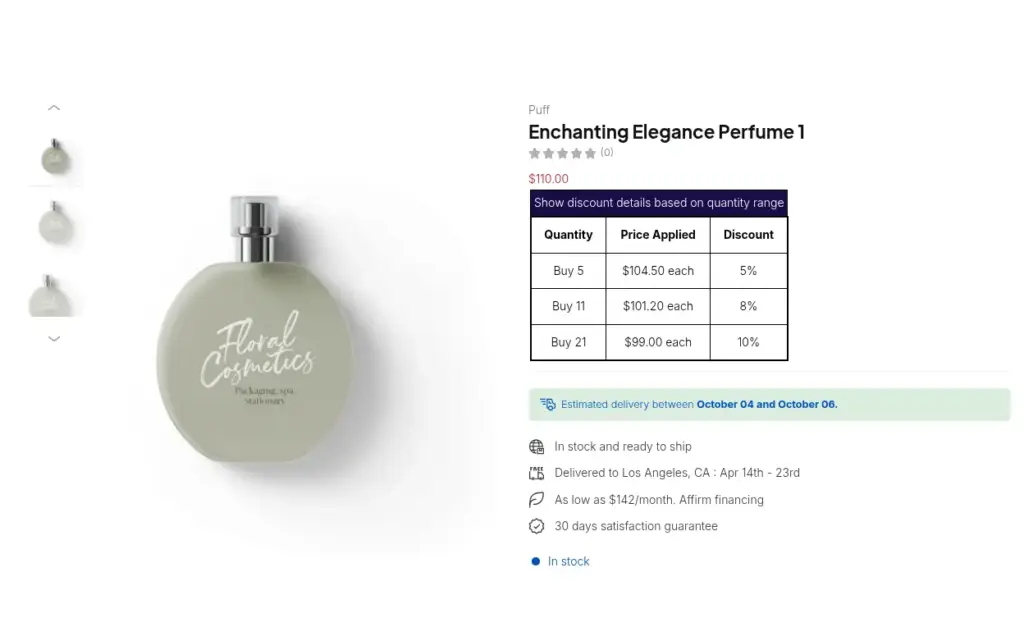
Create a Volume Pricing rule so bigger orders earn a better price. Tiers can be triggered by quantity or by the amount spent, and you choose whether the count covers each product, each variant or the entire order. The tier discount is applied on top of the dealer price, not on the original price.
Amount breaks suit furniture catalogs where unit prices vary a lot: a tier such as 5% from $2,500 and 8% from $5,000 rewards a mixed order of different pieces better than a unit count does. Quantity breaks suit repeat items such as tiles, where the unit is the same. Raven shows its quantity breaks on sample products too, so a designer who orders samples first sees the volume price that follows.
Step 4: Set minimums and maximums
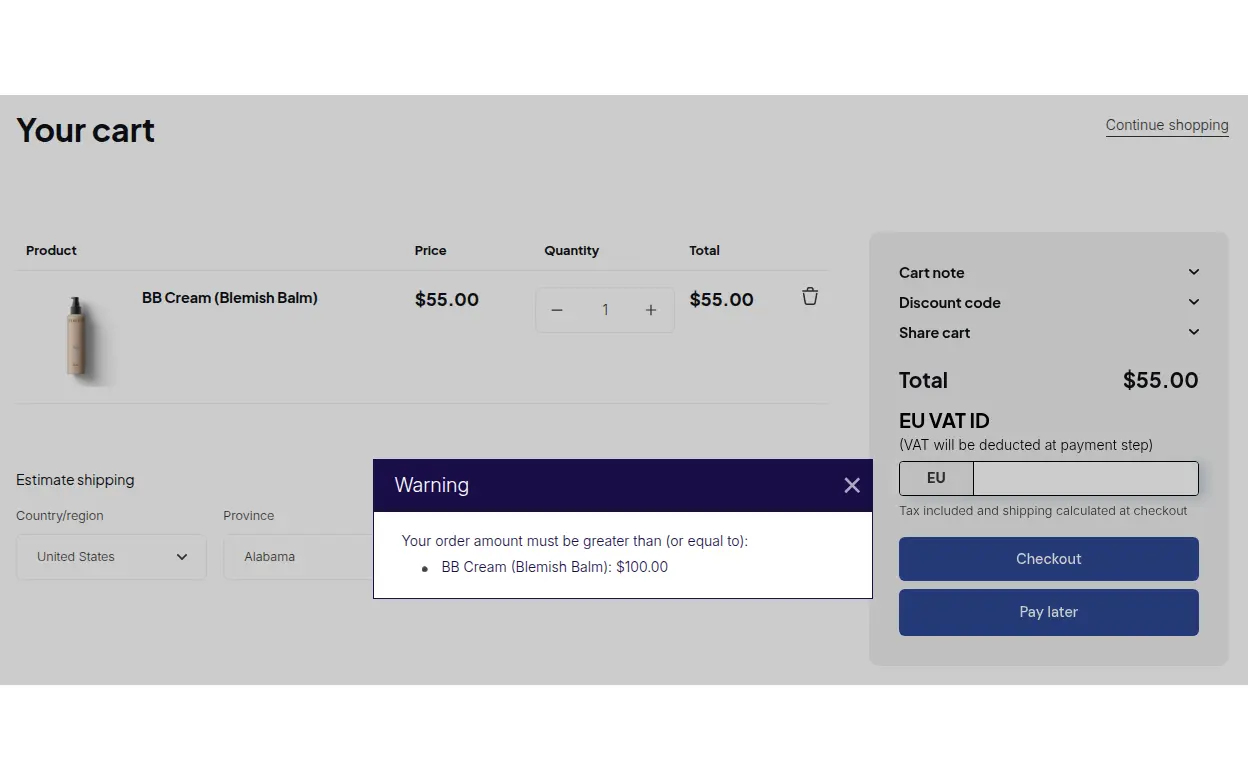
Add Order Limits to set a minimum or maximum quantity or amount for the dealer tag, products or collections. Use a minimum to keep orders worth shipping and a maximum to protect scarce stock. Buyers who are outside the limits see a warning in the cart.
Step 5: Create dealer-only discount codes
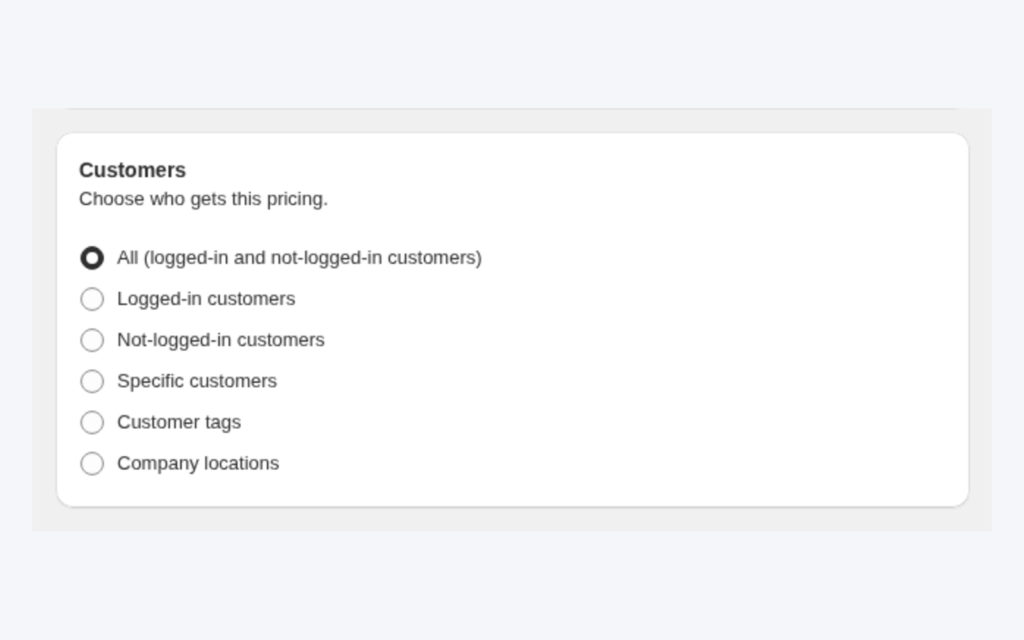
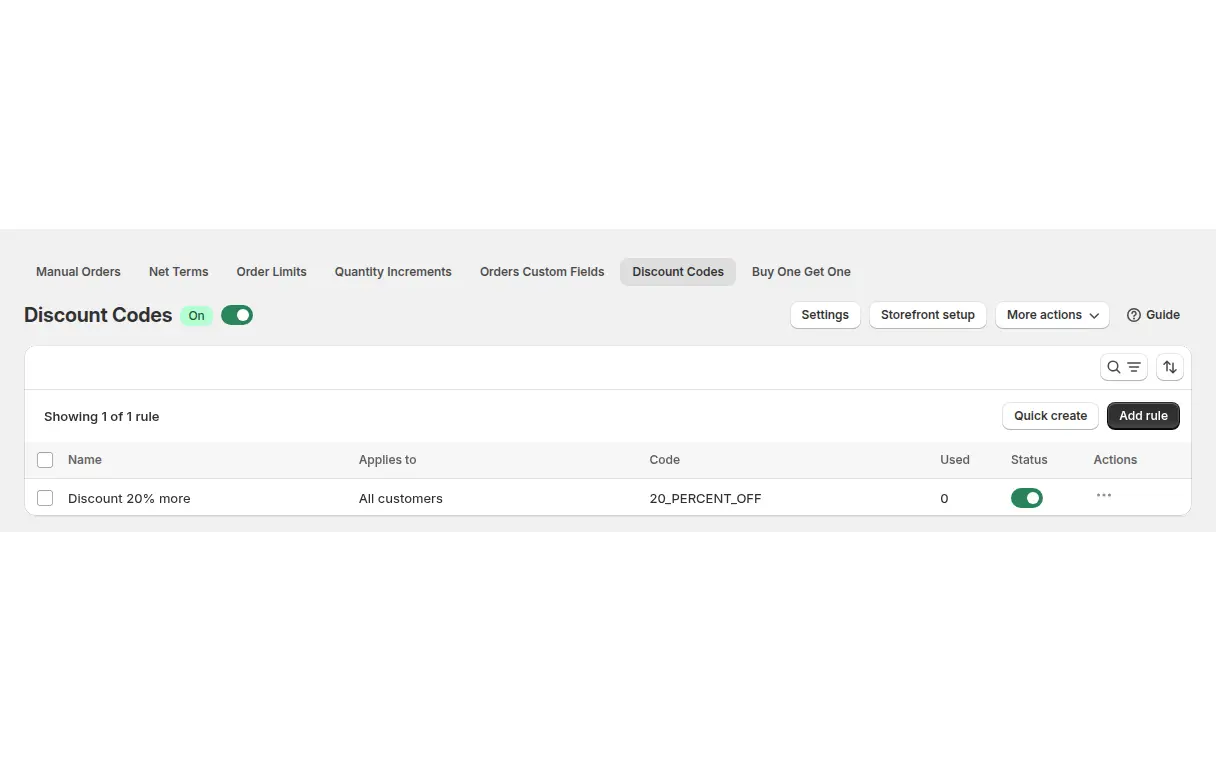
In the Discount Codes module, create a code limited to the customers, tags and products you choose, set a minimum purchase and an active window, and add the code box to the cart page. The minimum is checked on the B2B prices, after Custom Pricing and Volume Pricing. You can also generate a shareable link that applies the code automatically for eligible customers.
Step 6: Add quotes for made-to-order pieces
For custom or made-to-order pieces, add BSS B2B Quote so a dealer sends a request and you reply with your own price, shipping and expiry date. See request a quote button and hide price and quote approval to draft order.
Example: a dealer buys four dining tables
This example uses illustrative numbers, not results from a real store. A maker sells a dining table at a retail price of $1,200. A Custom Pricing rule gives customers tagged `dealer` 25% off, so the dealer price is $900. A Volume Pricing rule takes 8% off from 4 units, applied to the dealer price. Order Limits set a minimum order amount of $2,000 for the dealer tag. A dealer code, `SPRING5`, gives 5% off the entire order with a $3,000 minimum.
A dealer orders four tables. Each table is $900 less 8%, which is $828, so the cart is 4 x $828 = $3,312. That is above the $2,000 minimum and above the $3,000 code minimum, which is checked on the B2B price. The dealer enters SPRING5 in the cart, and the discount is 5% of $3,312, which is $165.60, so the order is $3,146.40 before shipping and tax. A second dealer who orders one table, $900, sees the minimum-order warning. A retail shopper sees $1,200 and cannot use the dealer code.
Works well with
Dealer pricing connects to the rest of a trade program:
- Tiered prices: tiered quantity break pricing explains Volume Pricing in depth.
- Minimums: enforce minimum order quantity and value covers Order Limits.
- Combined rules: combine custom and volume pricing shows how the two stack.
- Electronics trade accounts: electronics trade accounts with tiered pricing shows the same pattern for another industry.
The wholesale pricing hub and the order rules and terms hub list the guides. Glossary entries that help: volume pricing, MOV and catalog.
Limits and common mistakes
- Order limits run in the storefront, not in Shopify checkout. They are checked on the cart and Buy it now, so a direct checkout URL skips them and Manual Orders are not limited. Treat them as rules for normal buying, not a hard barrier.
- Express checkout and direct links can skip a Discount Code. Ask dealers to use the cart page, where the code box lives.
- Shopify automatic discounts do not work alongside Custom Pricing or Volume Pricing. Use the app’s Discount Code module for dealer codes.
- A discount code is applied after prices and breaks. Compute the final price in that order when you test.
- Tiers stack on the dealer price. An 8% tier takes 8% off the dealer price, not off retail, so check the table against your margin.
- Exclude buyers with negotiated prices. A Discount Code rule can exclude customers by tag, which keeps a promotion away from accounts that already have a deal.
- Set minimums on the dealer price. An Order Limits amount is checked on the B2B price, so a minimum of $2,000 means $2,000 of dealer-priced goods, not retail value. Choose the number with your dealer margin in mind.
- Quotes are a separate app. BSS B2B Quote works next to the Solution rules, and a logged-in buyer approves a proposal by email.
Setup checklist
- Install BSS B2B Solution and switch the app embed on in your theme.
- Create the dealer registration form and the dealer tag.
- Create the dealer Custom Pricing rule and test the price as a tagged dealer.
- Create the Volume Pricing rule and check the tier table on the product page and in the cart.
- Create the Order Limits rule and test a cart below the minimum.
- Create the dealer Discount Code and add the code box to the cart page.
- Decide which made-to-order pieces need BSS B2B Quote.
- Test as a guest, a retail shopper and an approved dealer.
Plans and requirements
Custom Pricing, Volume Pricing and the registration form are available on BSS B2B Solution with limits on the free plan, and Order Limits and Discount Codes need the Advanced or Platinum plan. BSS B2B Quote runs on paid plans. See the BSS B2B pricing page for the plans and the 14-day free trial on paid plans. The Volume Pricing guide shows every tier option, and the Discount Codes guide covers targeting and usage limits. Install BSS B2B Solution from the Shopify App Store and start with the dealer form.