


Novatto, an Arizona brand of bath and kitchen fixtures, shows retail prices to every visitor and keeps dealer pricing for registered accounts. Dealers apply through a Registration for Wholesale Pricing form and sign in to see their own prices, which BSS B2B Solution applies by customer tag.
About Novatto
Novatto designs sinks, faucets, drains, vanities and shower products for bathrooms, kitchens and bars. Its about page says the company was started by a young entrepreneur who wanted home products that stood apart on quality and design, and the home page carries the line "With Pride Since 2008". The head office is in Tempe, Arizona. The site describes the products as designed in Arizona and made in Mexico, Vietnam and China.
The catalog is wide. The Bath menu covers vessel sinks, vanities, faucets and showers. Kitchen and Bar covers stainless, granite composite, copper and fireclay sinks plus prep faucets. A Parts and Accessories menu holds cartridges, drains and install hardware. Shoppers can also browse by style: traditional, modern or expressive. On the kitchen sinks collection the price filter runs from roughly $195 to roughly $4,449, so one store serves entry-level stainless and premium stone and composite alike.
Novatto does not sell only through its own site. The home page quotes shopper reviews from large home-improvement retailers and marketplaces, an Our Partners page links out to them, and a Find Showrooms page points to physical stockists. That mix explains the job the Shopify store has to do: serve homeowners directly, and give trade accounts a way to see their own prices without a phone call.
The B2B model: retail for everyone, wholesale after registration
Novatto runs a hybrid store. Nothing in the catalog is hidden. A guest who opens a product page sees a regular price (a 32-inch double bowl stainless steel kitchen sink was listed at $213.00 USD when we looked), an Add to cart button and the usual Shop Pay options. The wholesale layer sits next to that. Beside Add to cart there is a Wholesale Prices button, and the footer has a Wholesale Registration link in its Resources column. Clicking the button takes a guest straight to the registration page.
Who is the wholesale buyer? The site’s own words are "dealer and display opportunities", and the form asks for a company name, so the audience is showrooms, dealers and trade buyers rather than homeowners. The owner’s public App Store review states the business reason plainly: Novatto wanted potential B2B customers to know that wholesale pricing exists, and wanted existing B2B customers to be able to open the website at any hour and see their pricing. Those are two different jobs, advertising the program to people who have not applied and serving the people who have, and the storefront handles both with the same two surfaces: the button and the form.
Buyers apply through one form. BSS B2B Solution registration forms can hold an application for review or approve it at once, and they can add a customer tag at approval. Which mode Novatto uses is not visible from outside, so we do not claim one. What matters for the model is the tag: once an account carries it, the pricing rules that target that tag apply when the buyer signs in.
How the storefront handles wholesale
A wholesale button on every product page
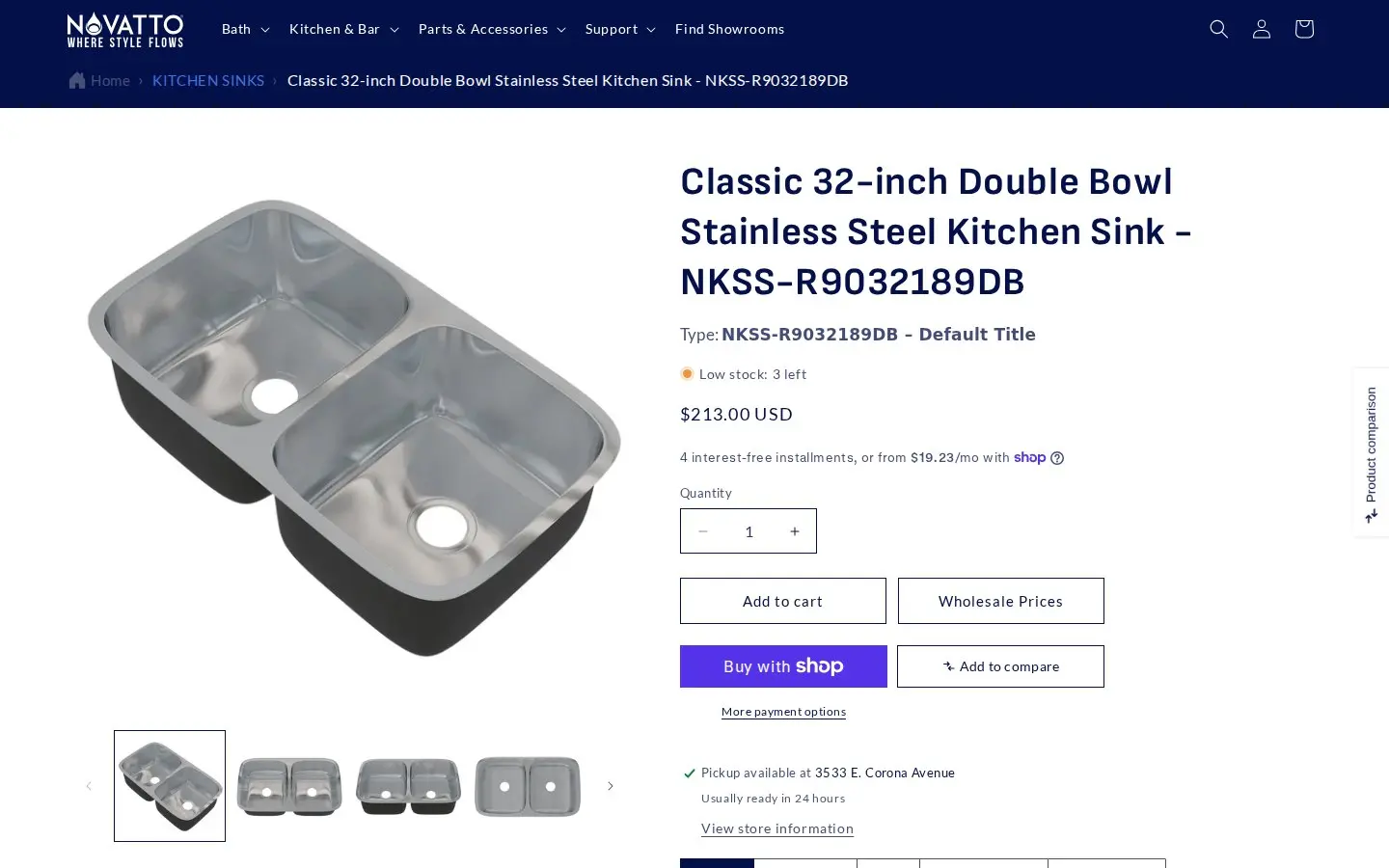
The product page is where a dealer lands from search, a marketplace listing or a showroom visit, so it is the right place for the wholesale entry point. The retail price stays public and complete: price, quantity selector, Add to cart, Shop Pay. The Wholesale Prices button is a second path, not a replacement. A homeowner ignores it, a dealer clicks it, and neither has to go looking for a menu item.
One short registration form
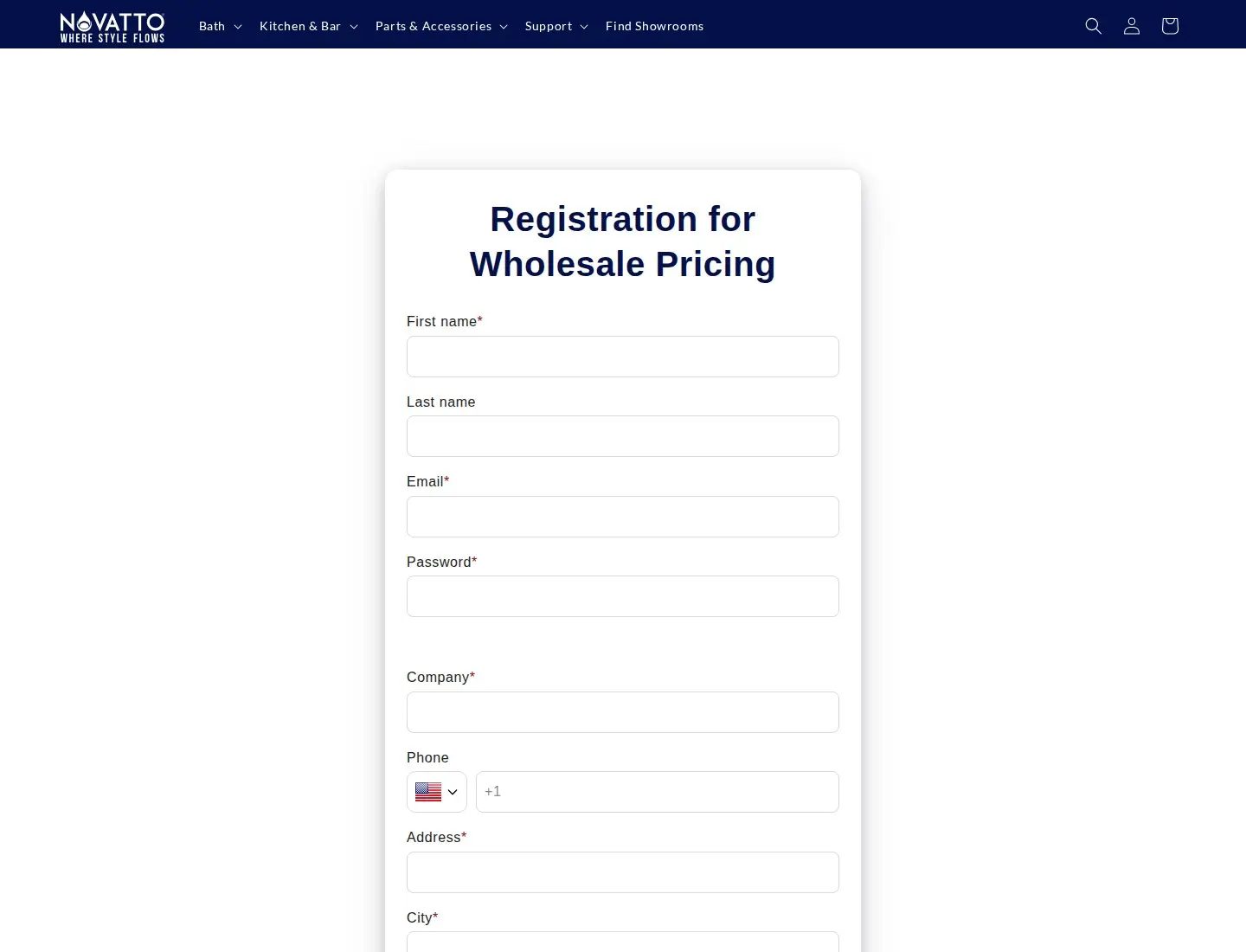
The page is titled Registration for Wholesale Pricing and is built from nine fields: first name, last name, email, password, company, phone, address, city and zip. First name, email, password, company, address, city and zip are required. There is no document upload and no tax ID field. That is a sensible size for a dealer program that also runs through personal contact (the footer invites dealers to contact the sales team): the form collects what an account manager needs to look the business up.
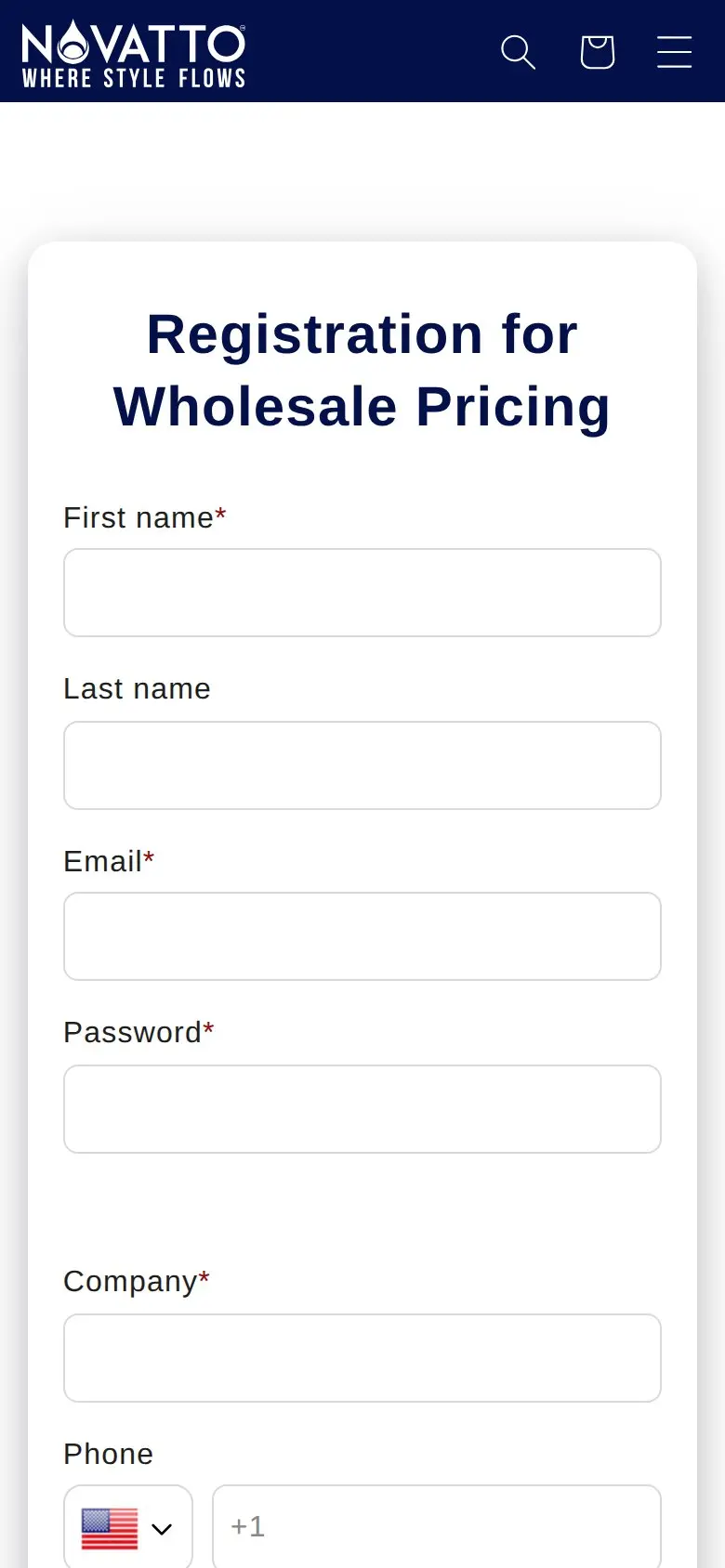
On a phone the form becomes a single column with large fields and the same required markers. The phone field uses a country selector with a +1 default for US visitors.
A public catalog with real prices
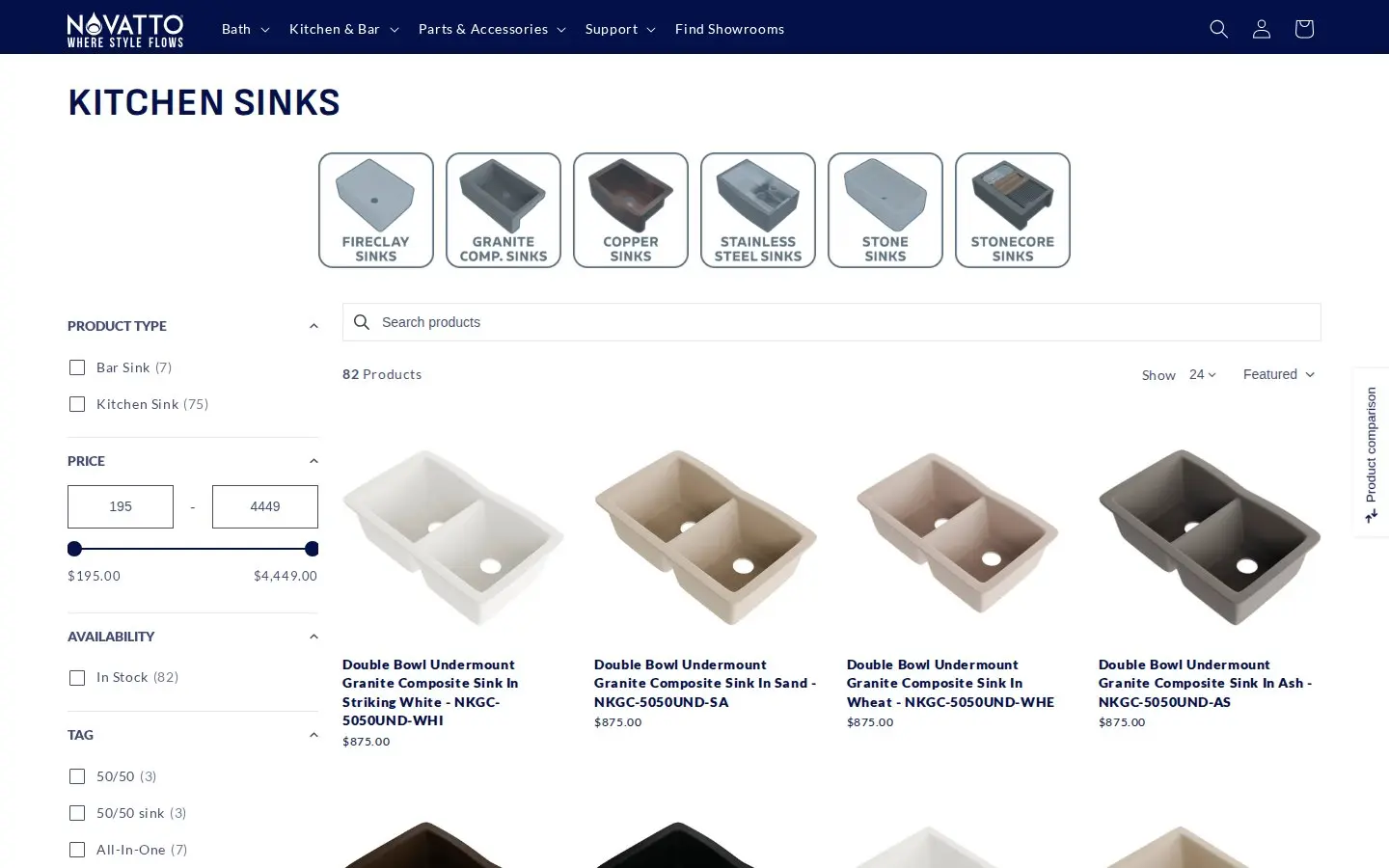
Collections show prices, filters for product type, price, availability and tags, and a count of products. Guests are never asked to log in to see what a faucet costs. Dealer prices are the part that changes after sign-in. We did not log in, so we have not seen the dealer view; what we can say comes from the app configuration described next and from the owner’s own description of the result.
Which BSS B2B Solution features power it
We checked the setup in two ways: what the storefront markup shows, and the app’s production configuration (a read-only check of which modules have active rules, with no customer or order data). Rule contents such as discount values are not published here.
| Feature | What we found | Learn more |
|---|---|---|
| Registration form | A live Registration for Wholesale Pricing page built with the BSS form | Build a registration form |
| Custom pricing | Several active rules that target customer tags and cover the whole catalog with percentage-based prices | Tagged customer prices |
| Price list | An active price list targeted by tag and set at variant level | Price list per buyer group |
| Volume pricing | An active rule for logged-in customers; product pages carry the volume table container | Quantity breaks |
| Auto-tag | Active rules that run when a customer registers | Automatic tags |
| Shipping rate | An active order-amount rule for logged-in customers | Custom shipping for wholesale |
| Discount code | Active code rules aimed at tagged customers | Discount codes |
Tags are the switch
Several custom pricing rules aimed at customer tags tell you how the store is organized: wholesale is not one blanket discount but a set of groups, each with its own rule. A group can be a dealer tier, a showroom partner or any segment the team wants to price differently. The registration form puts a new account into the right group by tag, and the auto-tag rules that trigger on registration mean part of that sorting does not need a person. The same tags then drive the price list and the discount codes, while logged-in status drives the shipping rule and the volume table, so one decision at signup flows through the whole order.
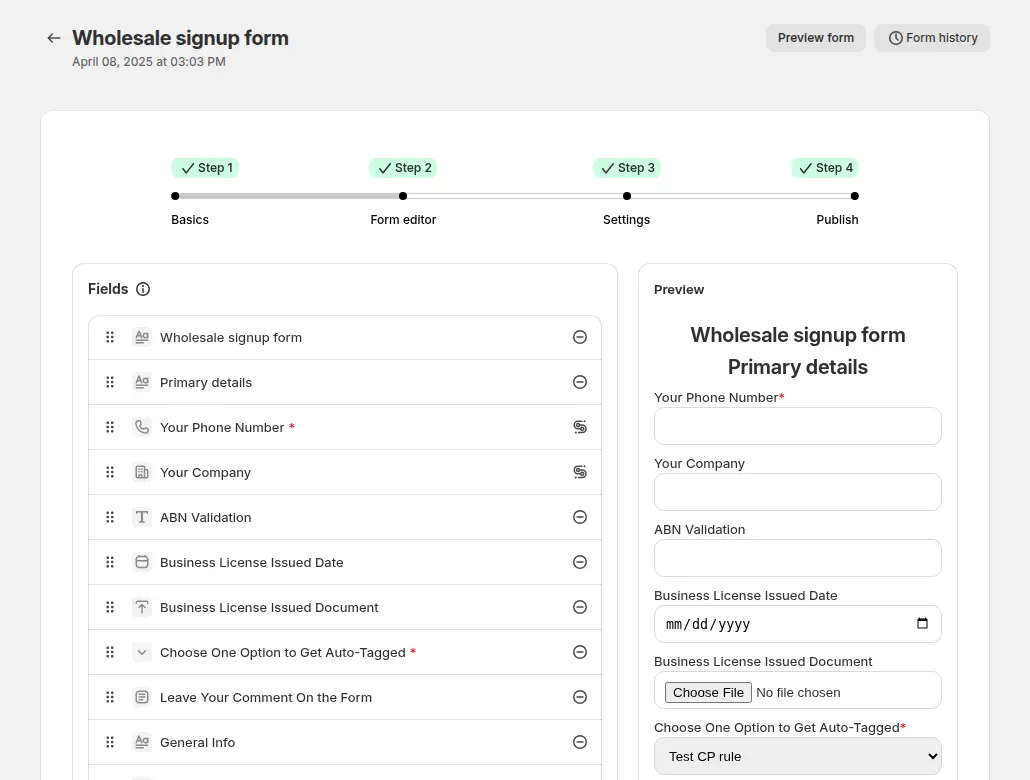
The form is built in the app’s editor, where fields are added, reordered and previewed before publishing. The guide shows the full set of field types, including dropdowns and file upload, which Novatto’s short form does not need.

The approval tag is a single text setting on the form. A rule that targets that tag then becomes the dealer’s price list in practice. If you want to see how the pieces connect end to end, the use case on approving and notifying applicants walks through it.
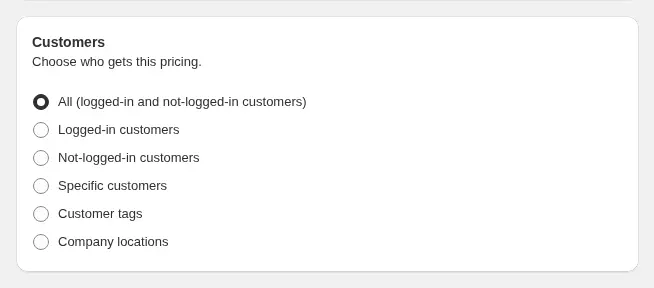
A custom pricing rule chooses who gets the price: everyone, logged-in customers, specific customers or customer tags. Novatto’s rules sit in the tag option. When rules overlap, the app applies priority numbers from 0 to 99, and a lower number wins, which the use case on rule priority explains.
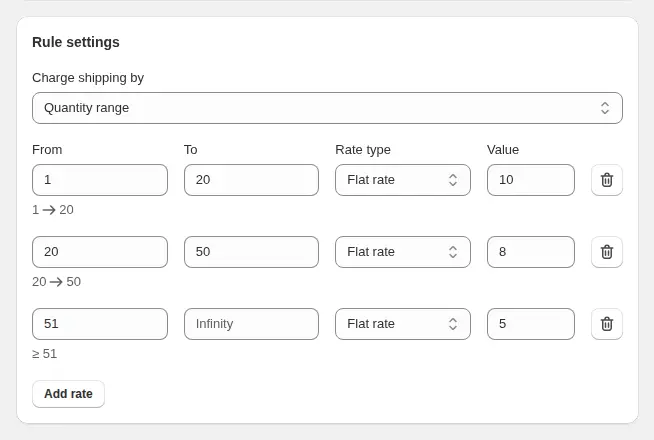
Shipping rules can charge by quantity, amount or weight. Novatto’s active rule is based on order amount and applies to logged-in customers, which suits heavy, high-value goods such as sinks where freight is a real part of the dealer’s cost. A volume pricing table also exists for logged-in customers, and the volume pricing table use case shows how it appears on a product page.
What other merchants can copy
- Put the wholesale button where the dealer already is. A button beside Add to cart converts product-page interest into registrations without touching the retail experience.
- Keep the form to what you need. Nine fields, no uploads. Add tax ID or document fields only if you must verify buyers before approving them.
- Treat the tag as the contract. Registration adds a tag, pricing rules read the tag. If a price is wrong, you fix a rule, not an account.
- Use more than one rule. Several tag rules let you price dealers, showrooms and partners differently without separate stores.
- Decide the approval mode before launch. Manual review suits a program run through account managers; automatic approval suits open programs. Write the choice down.
- Test three states. Open a private window as a guest, then as a new registrant, then as an approved buyer, and compare prices on one product each time.
- Expect theme and app updates to touch it. The owner’s review mentions theme updates and third-party apps interfering with the B2B code. Test changes on a duplicate theme first.
Novatto’s review
Novatto left a public review of BSS B2B Solution on the Shopify App Store: 5 out of 5 stars, last edited April 30, 2025, after about ten months of use. The relevant part, quoted verbatim:
"[…] The reason Novatto, Inc. chose B2B was that we wanted to let our potential B2B customers know we offer wholesale pricing and for the B2B customers we already have, we wanted them to be able to go to our website anytime and see their pricing 24/7. B2B offered a great solution. Since then they have continued helping out with issues that crop up like theme updates that disrupt coding or 3rd party Apps that interfere with B2B’s coding."
Novatto, public review on the BSS B2B Solution listing, 5 stars, edited April 30, 2025
Two things stand out. The reason given is about visibility and self-service, not discounts: let prospects know the program exists, and let existing dealers check prices without asking. And the practical note about theme updates is the kind of detail only a long-running store knows. It is a reminder that wholesale on Shopify is a living setup, not a one-time install.
FAQ
Can a Shopify store show retail prices to everyone and dealer prices only to approved accounts?
Yes. Create a customer tag for each wholesale group, add pricing rules that target those tags, and publish a registration form. Guests keep seeing regular prices, and tagged customers see their own prices after they sign in. See the tagged customer prices use case.
How does a dealer get the wholesale tag?
Through the registration form. The form can add a tag when an account is approved, and auto-tag rules can add tags when a customer registers. The merchant chooses whether applications are reviewed first or approved automatically.
Does the registration form create a Shopify company?
No. The Company field on a BSS registration form is a text field stored on the customer address. Pricing is driven by customer tags, specific customers or company locations, not by a company record created by the form.
Where should the wholesale link go on a store that also sells to homeowners?
Put it where trade buyers already look: next to Add to cart on product pages, and in the footer. Novatto uses a Wholesale Prices button and a Wholesale Registration footer link, so retail shoppers are not interrupted.
What should I test before announcing a wholesale program?
Compare one product as a guest, as a new registrant and as an approved buyer in a private window, then run a test order with a shipping rule and a discount code if you use them. Repeat after every theme update.
This store spotlight is based on Novatto’s public website and its public review on the Shopify App Store, as of October 5, 2026. Screenshots show the public storefront. Admin screenshots are labelled examples from the BSS user guide, and the descriptions of active features come from a read-only check of feature configuration.