
Not a credit check
It does not look at a buyer's creditworthiness.
BSS B2B Solution: Credit limit
BSS B2B Solution's Credit limit add-on is a Shopify Net Terms credit limit app. It caps how much each buyer can owe on Pay later orders. You set a limit per customer, tag, company or location, then warn, ask for approval or block Pay later when an order goes over. It needs Advanced or Platinum. It does not check creditworthiness.
Credit limit is an add-on, so Net Terms comes first. Open the app and go to B2B orders & discounts > Net Terms.
Buyers need the Pay later button before there is anything to check. Create a Net Terms rule for the customers you offer terms to.
Open Pricing plans, scroll to Add-ons and click Start 14-day free trial on the Credit limit card. The dialog shows the add-on price and your new total before you confirm. Nothing is charged during the trial.
Open the Credit limit tab, then Rules, and click Add credit rule. Choose Applies to, enter the limit and keep When an order goes over the limit on Warn only. Save the rule. The page confirms Credit rule created.
Open the Customers view. Each customer the rule covers shows a limit and Available. Customers over the limit show Over limit.
Edit a rule and choose Block Pay later. A window lists the customers already over the limit and asks you to confirm with Save and block. Those customers cannot use Pay later until their balance goes down. They can still pay now.
In Settings, look at Overdue orders, Credit shown to buyers, Customer tags, Credit emails and Check at Shopify checkout. Each is off until you turn it on, except the approval email.
New to the app? Install it, then add Credit limit. Already on Advanced or Platinum? Start the 14-day add-on trial from Pricing plans.
Credit limit caps the unpaid Net Terms amount for each buyer. At Pay later checkout, the app compares the order with what the customer can still use.
Three amounts decide the result. Pending drafts are Pay later draft orders waiting for your review. Owed is unpaid orders plus any opening balance and manual adjustments. Available is the limit minus both, and it can be negative.
Example: a customer has a $500 limit and owes nothing. The buyer places a Pay later order of $285, so Available is $215. You click Create order in Shopify and Owed becomes $285. A second order of $285 is $70 over the limit. An order that equals Available exactly goes through.
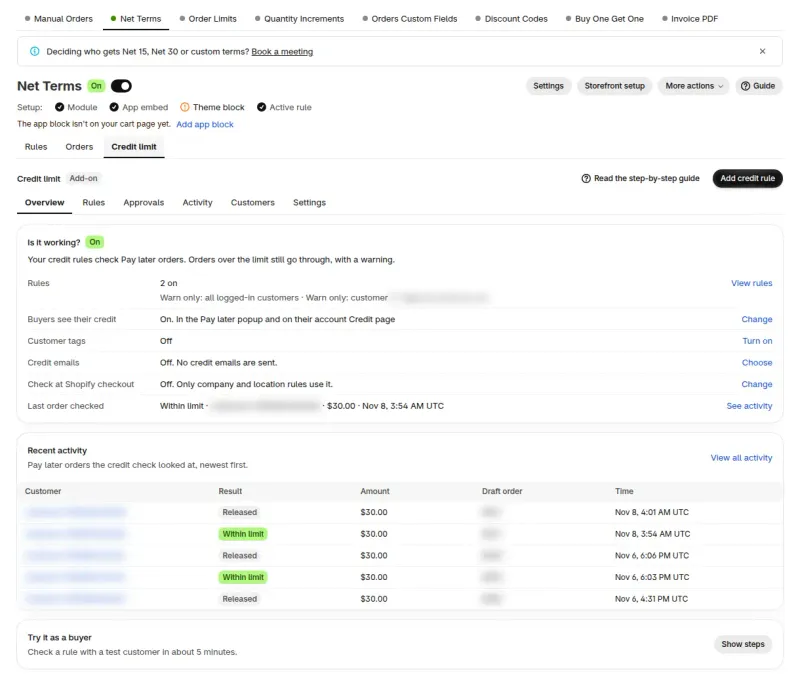
Pay later checkout on your online store is always checked. The other channels differ, and some are not checked at all.
| Place | Checked? | Notes |
|---|---|---|
| Pay later checkout on your online store | Yes | Every rule type. Block Pay later stops the order and Warn only flags it. |
| Shopify checkout for company locations | Only if you turn on Check at Shopify checkout | Uses company and location rules in Block Pay later, at locations that have payment terms in Shopify. It needs one extra Shopify permission. |
| Manual Orders | A warning banner only | The banner shows under Payment due later when the buyer would go over the limit, is already over, is on hold or has an overdue order while the overdue block is on. You can still create the order. |
| Orders created in Shopify admin or at POS, order edits, API orders | Mostly no | Not stopped by the Pay later check. With Check at Shopify checkout on, an admin draft order completed for a company location with payment terms can still be stopped. |
If the app cannot read a limit, the order goes through.
Start in Warn only to see who would be affected, use Ask me to approve when you want to review each over-limit order, and use Block Pay later when the cap is firm. The buyer can still pay now at checkout.
| Mode | When an order goes over the limit | What the buyer sees | What you see |
|---|---|---|---|
| Warn only | The order goes through. | Nothing, unless you turn on Show buyers their remaining credit. | The customer is marked Over limit in Customer balances. |
| Ask me to approve | The buyer sends the order to you. It waits up to 7 days and uses no credit until you approve it. | With Show buyers their remaining credit on: "This order needs the store's approval" and a Send for approval button. | The order in the Approvals view, and an email. |
| Block Pay later | Pay later is not available for that order, and no draft is created. | "Pay later isn't available for this order" and a Back to cart button. | The block in the customer's History. |
A rule applies to one kind of target. When a customer matches more than one rule, the first match from the top of this table sets the limit.
| Applies to | What the limit covers | Priority |
|---|---|---|
| Specific customers | A limit for each customer you pick. | 1 (first) |
| Specific company locations | Each location has its own limit. Its Owed also counts toward its company's limit. | 2 |
| Specific companies | One limit shared by all the company's locations, for every buyer of that company. | 3 |
| Customer tags | A limit for customers who have one of the Shopify tags you pick. | 4 |
| Logged-in customers | One limit for all logged-in customers. Only one rule of this kind can be on at a time. | 5 (last) |
Two rules of the same type can match one customer. The one with the lower number in Advanced > Priority (0 = first) wins.
The buyer clicks Pay later and fills in the Net Terms form. The app checks the order and creates a draft order, shown as Pending drafts on the customer page. You open the draft in Shopify and click Create order with payment pending, and the amount moves to Owed.
When the buyer pays, record it in Shopify with Collect payment > Manual payment > Record payment, and Owed goes down. A cancelled order releases its amount.
Balances update usually within a minute of Shopify reporting an order or payment. Recalculate in Customer balances refreshes them on demand.
Shopify shares only the last 60 days of orders until you click Allow access to all orders. For older unpaid orders, enter an Opening balance.
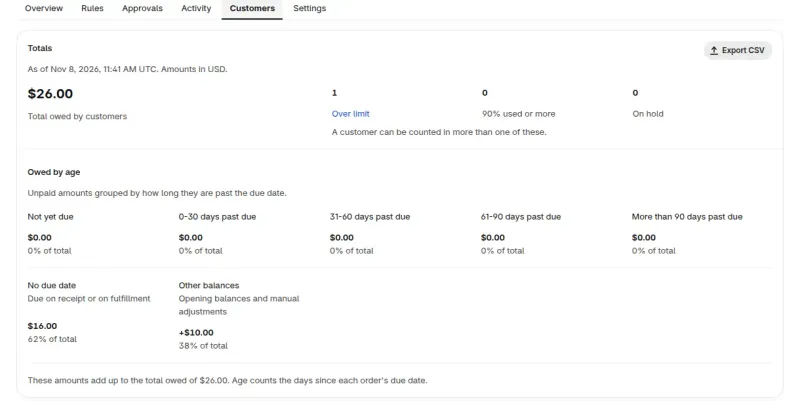
A company rule is one cap shared by every location. A location rule gives one location its own limit. An order has to fit both, so the smaller room wins.
Example: company Acme has a $10,000 limit. East has a $6,000 limit and owes $5,000. West has a $6,000 limit and owes $3,000. Acme owes $8,000 in total, so its Available is $2,000. A $2,500 order at West fits West's own $3,000 but not Acme's $2,000. With the rules in Block Pay later, the company cap stops that order.
A hold on a company or location is only recorded in History and does not stop checkout. To stop orders at a company, use a company rule in Block Pay later.
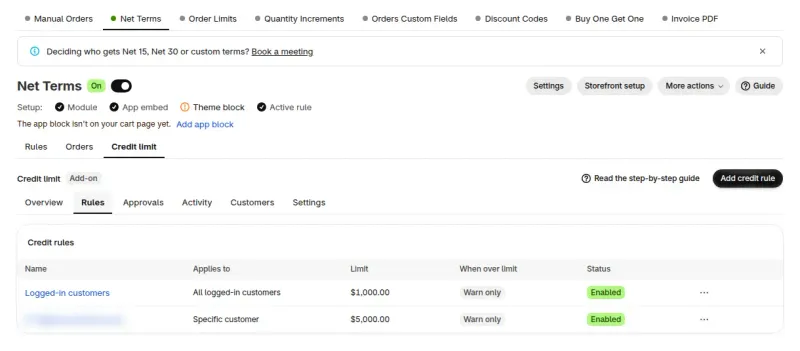
Holds, temporary limits and balance edits apply to one customer. The overdue block and emails apply to the whole store.
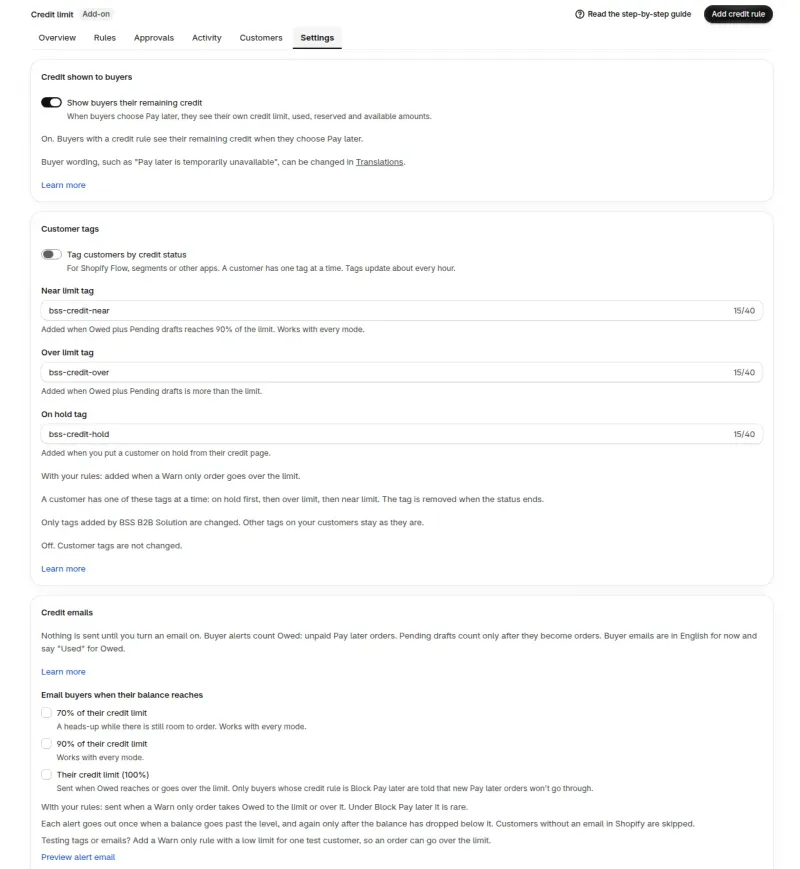
It does not look at a buyer's creditworthiness.
Orders and drafts you create in Shopify admin or at POS are not counted, except company orders with payment terms under a company or location rule. Use Adjust to add that debt by hand.
A limit in another currency is not checked at Shopify checkout and shows This limit isn't checked.
It covers only locations with payment terms and can also stop card orders there. Customer, tag and all-customer rules are not used.
Shopify checkout sees new orders after about 30 seconds or more, so orders placed close together can all go through.
Credit limit sits on top of Net Terms rules and payment terms. A buyer who picks Pay later creates a Shopify draft order with payment terms, and Credit limit checks that order first. With no Net Terms rule there is nothing to check.
Manual Orders shows a warning banner with Limit, Used and Available under Payment due later when the buyer would go over the limit, is already over, is on hold or has an overdue order while the overdue block is on. It never blocks the order. An order with payment terms then counts toward the buyer's balance.
Finance teams and account managers at wholesale brands that sell on invoice terms and want a cap on open balances. If every buyer pays at checkout, nothing here is needed.
Credit limit is a paid add-on for Net Terms, so it needs the Advanced or Platinum plan. Add it from Pricing plans > Add-ons. The 14-day free trial runs once per store.
The read-only Public API for Credit limit needs the Platinum plan.
Each use case shows one setup with screenshots. Browse all use cases.
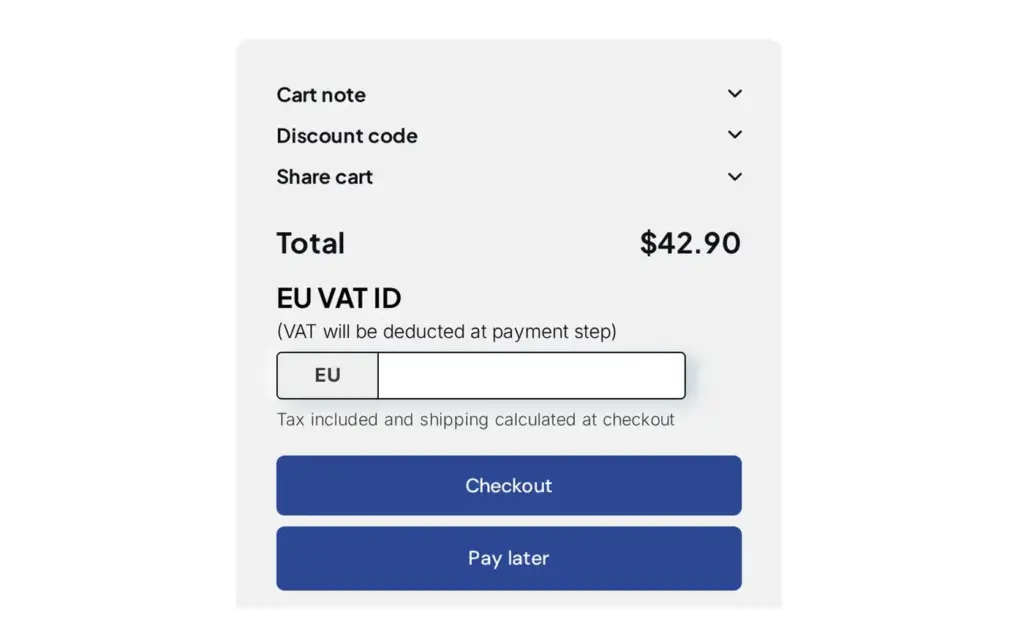
Offer Net 7, 15, 30, 60 or 90 payment terms with a Pay later button in the cart and track due dates with Net Terms in BSS B2B Solution for Shopify.
Explore use case: Offer Net 30 and Other Payment Terms to Wholesale Buyers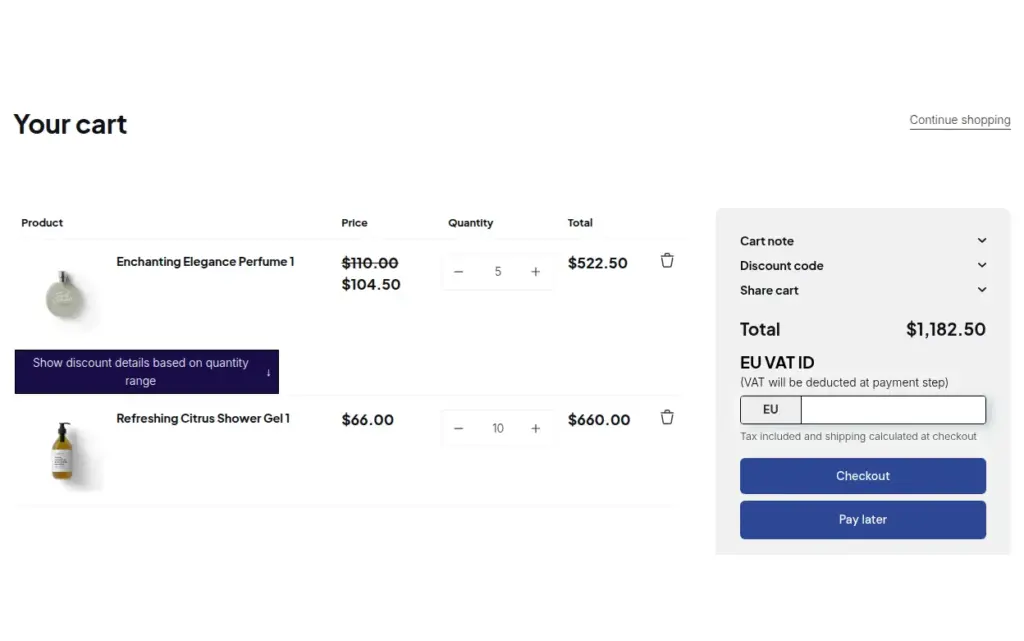
Verify a tax ID once at registration, then give approved buyers tax exemption and Net Terms with a Pay later button using BSS B2B Solution for Shopify.
Explore use case: Onboard Tax-Exempt Buyers With Net Terms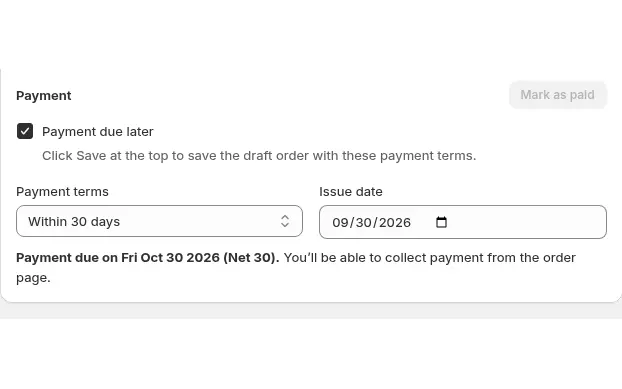
Build draft orders in the Shopify admin with each buyer's custom prices, volume tiers, net terms and tax status applied using Manual Orders in BSS B2B Solution.
Explore use case: Place Orders on Behalf of CustomersRead these next for the full detail.
Pay later, payment terms and who gets them.
Draft orders with B2B prices and payment terms.
Net terms, tax IDs, invoices and order limits.
Set minimum orders, case packs and net payment terms for wholesale buyers.
Credit limitNet termsNet 30Company locationDraft order
Each feature has its own page. See also all BSS B2B Solution features.
Add or remove customer and order tags when a Shopify event matches your rules, so tag-based prices and access follow the buyer.
Give wholesale buyers a private code they enter in the cart, with rules for who can use it, what it covers and how often.
Read and write B2B pricing rules, registrations and customer lookups from your ERP or PIM with API keys you scope by module.
Add a handling fee by quantity or amount, and set wholesale shipping rates by customer, product, market and weight.
Build a Shopify draft order for a customer in the admin, with their wholesale prices already applied.
Show wholesale prices in the buyer's currency with a switcher. Checkout stays in your store or Markets currency.
Let approved buyers order now and pay later with a Pay later button, the terms you choose and optional local pickup.
The BSS B2B Price tile in Shopify POS applies the wholesale discount to the cart and updates it when the cart changes.
Schedule repeat B2B orders for a buyer. Each cycle creates a draft order, an order or an invoice at the buyer's current B2B prices.
Install BSS B2B Solution from the Shopify App Store, with a 14-day free trial on paid plans. Add Credit limit from Pricing plans.
Also: BSS B2B Lock for hidden prices for guests and BSS B2B Quote for quotes and quick order.
It caps how much each Net Terms buyer can owe on Pay later orders. You set a limit per customer, customer tag, company, company location or all logged-in customers. When an order goes over it, the app lets it through and flags the customer, asks you to approve it, or blocks Pay later for it.
No. It caps unpaid Net Terms amounts that you set and does not look at a buyer's creditworthiness. You decide who gets terms and how large their limit is.
Credit limit is a paid add-on for Net Terms, so it needs the Advanced or Platinum plan. It costs $39 a month or $421.20 a year. Each store gets one 14-day free trial, started from Pricing plans > Add-ons. The card shows the current add-on price before you confirm.
Warn only lets the order through and marks the customer Over limit. Ask me to approve sends the order to you. Block Pay later stops Pay later for that order, and the buyer can still pay now at checkout.
Mostly no. It counts Pay later orders from your online store and Manual Orders with payment terms. Orders and drafts created directly in Shopify admin or at POS are not counted, except company orders with payment terms under a company or location rule. Use Adjust to add other debt by hand.
The credit check stops and Pay later orders go through without it. Your rules and balances are kept but hidden, and balances are not updated while the add-on is off. After you add it again, click Recalculate to refresh them.
Feature behavior follows the BSS user guides for Credit limit, read on November 8, 2026. Add-on prices match the app's billing catalog and the user guide on November 8, 2026; the Pricing plans screen in the app shows the current price. We make BSS B2B Solution, BSS B2B Lock and BSS B2B Quote.