BSS B2B Lock hides prices, Add to cart, products, collections and pages from guests on your Shopify store. Buyers get in by logging in, by a customer tag, or with a passcode.
Rated 4.9 out of 5(651 reviews on the Shopify App Store)Built for Shopifyas of Oct 10, 2026
Last updated
BSS B2B LOCK
What is BSS B2B Lock?
BSS B2B Lock, listed on the Shopify App Store as BSS B2B Lock, Login & Password, is a Shopify app that controls who sees prices, products, collections and pages, or the whole store. Visitors unlock content by login, customer tag, passcode or secret link. There is a free plan, and paid plans start at $9.99 per month.
Guests can browse. Prices, Add to cart and wholesale products stay hidden until a buyer qualifies.
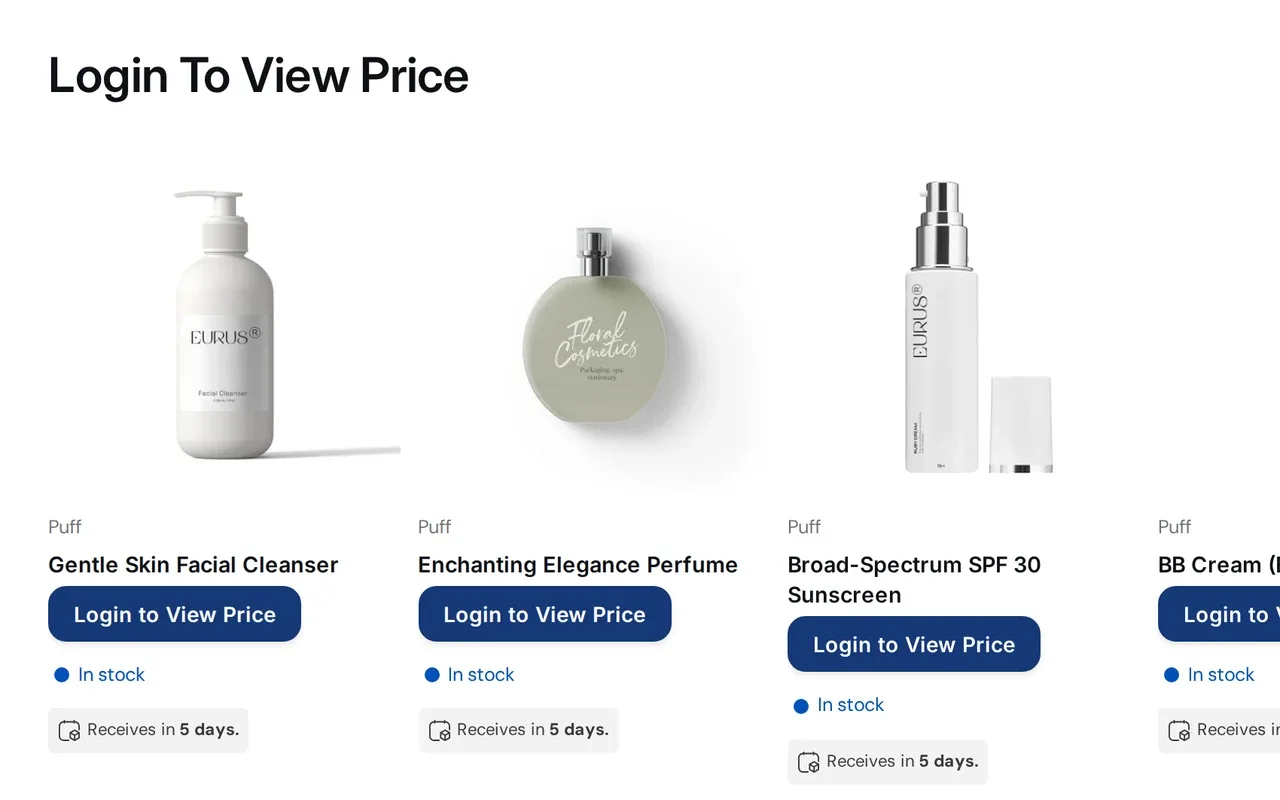
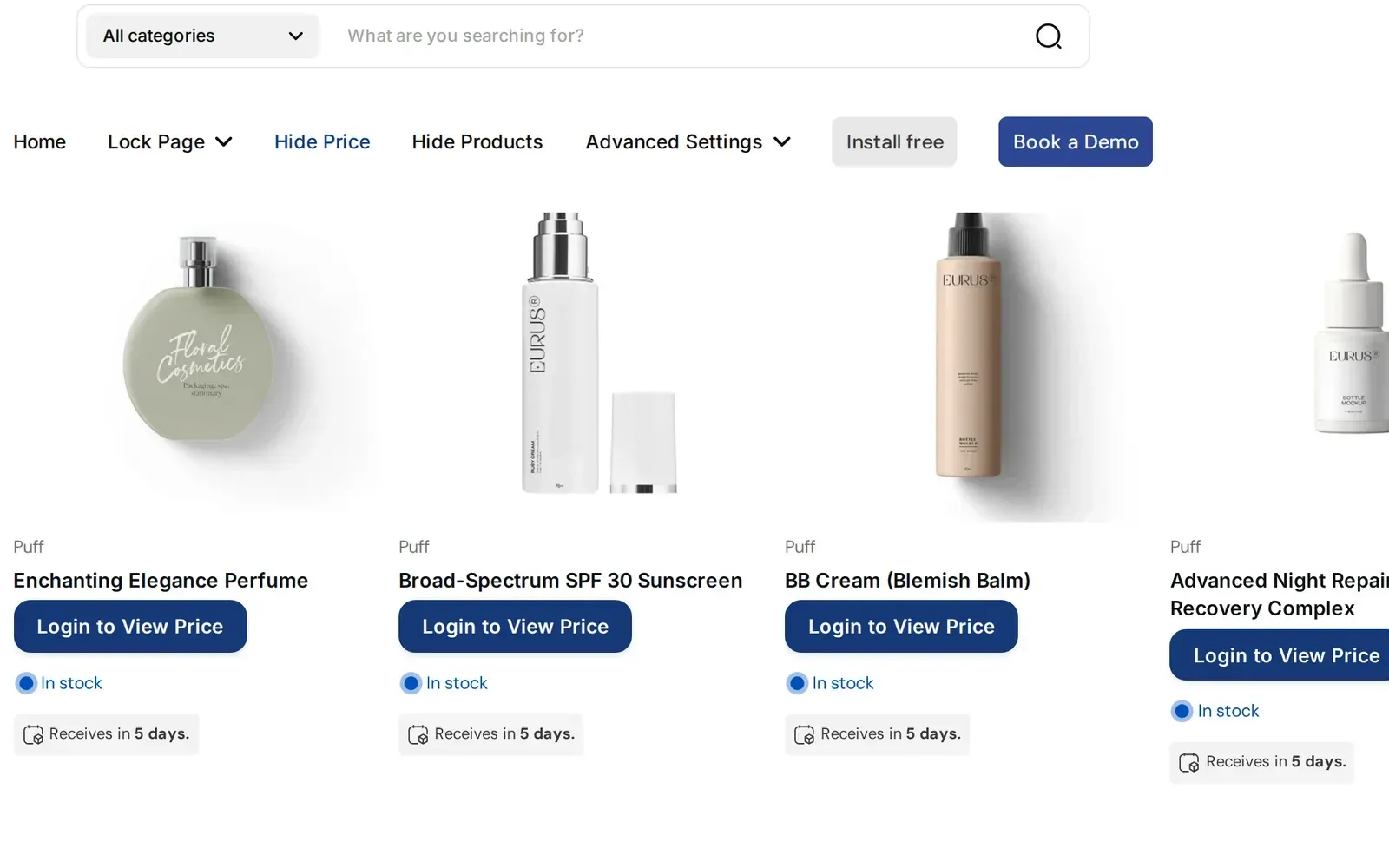
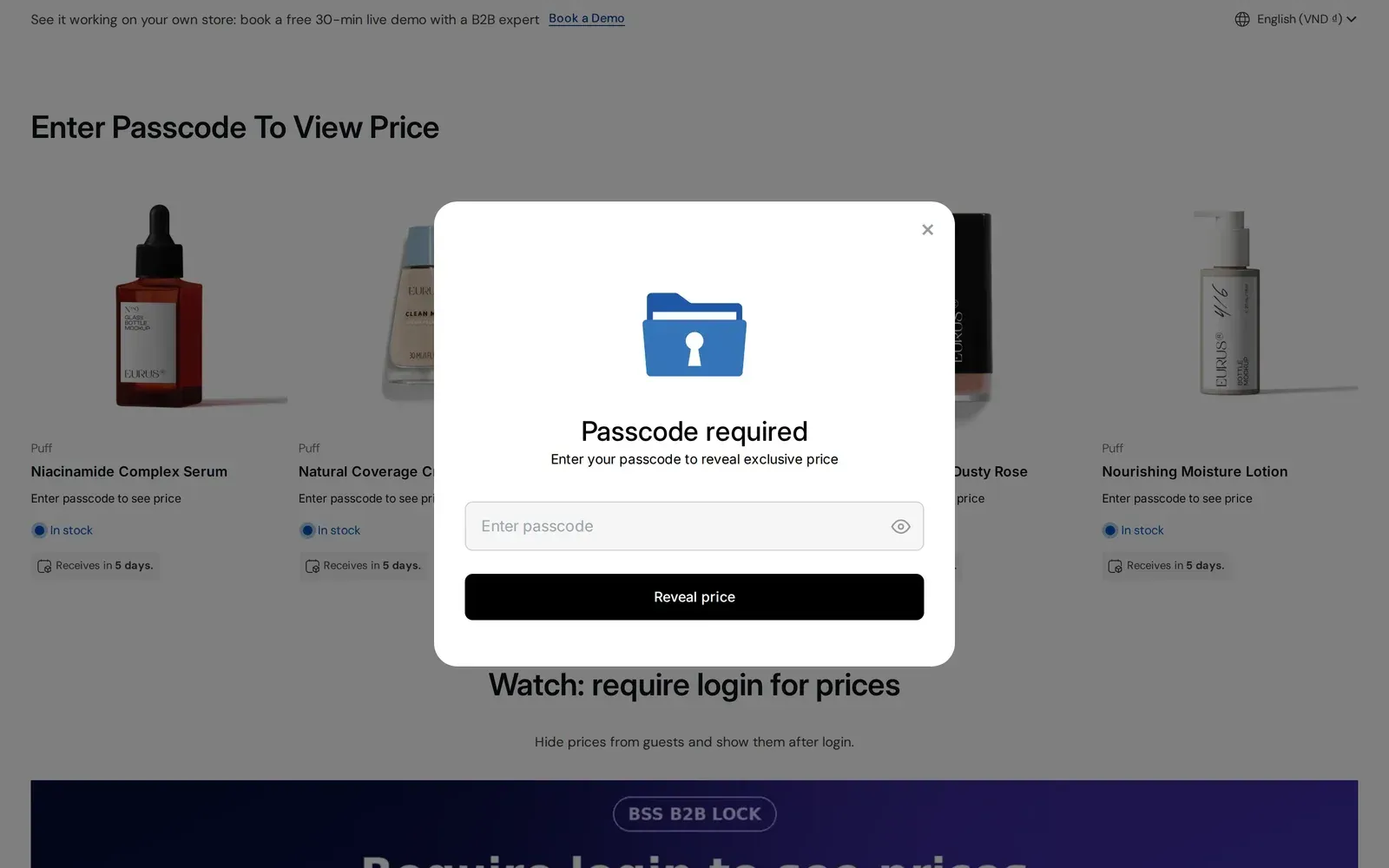
A lock targets prices, Add to cart, or both. Guests see the product with a login or sign-up message where the price was. Buyers who log in, or who carry the customer tag you chose, see the normal price and button. You can also keep the price visible and hide only the button.
Replace the price with a Login to view price button or your own message
Choose Disable Add to cart, Hide Add to cart, or keep the price and hide the button
Optional setting to hide the price from Google search results
Paid plans and the trial. The free plan locks the entire store only.
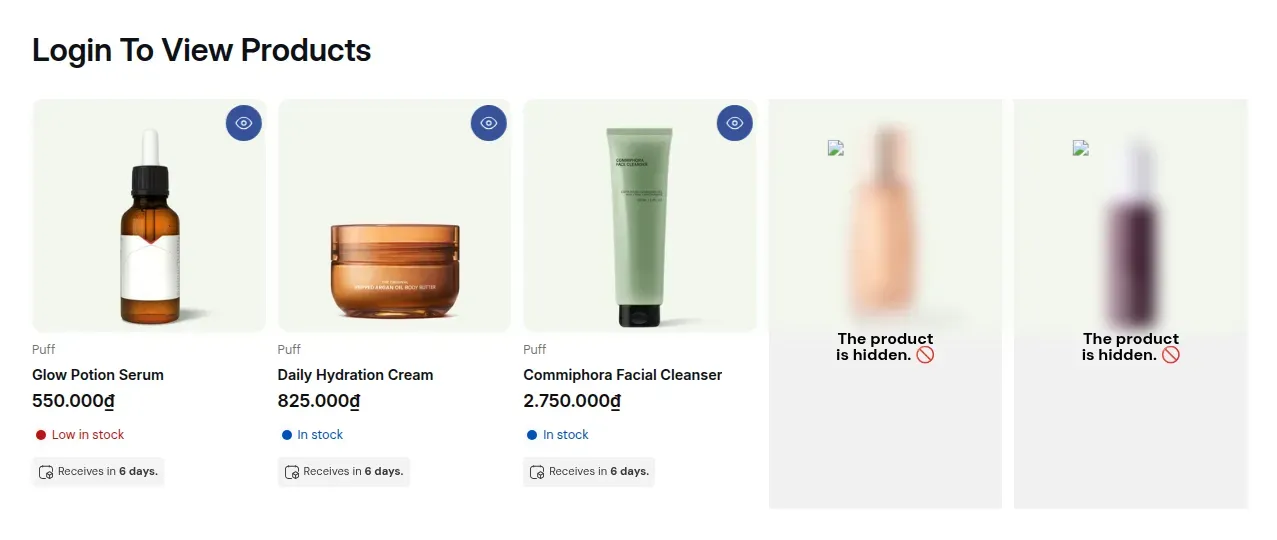
Lock a single product, a whole collection or a variant. Visitors who do not meet the rule see a "product is hidden" message instead of the product card. For product, collection and page locks the main content is not sent in the page HTML to those visitors.
Wholesale-only lines that retail shoppers should never see
Private collections for chosen partners, shown by customer tag
Use it for a trade portal, a line sheet or a store that should not be public.
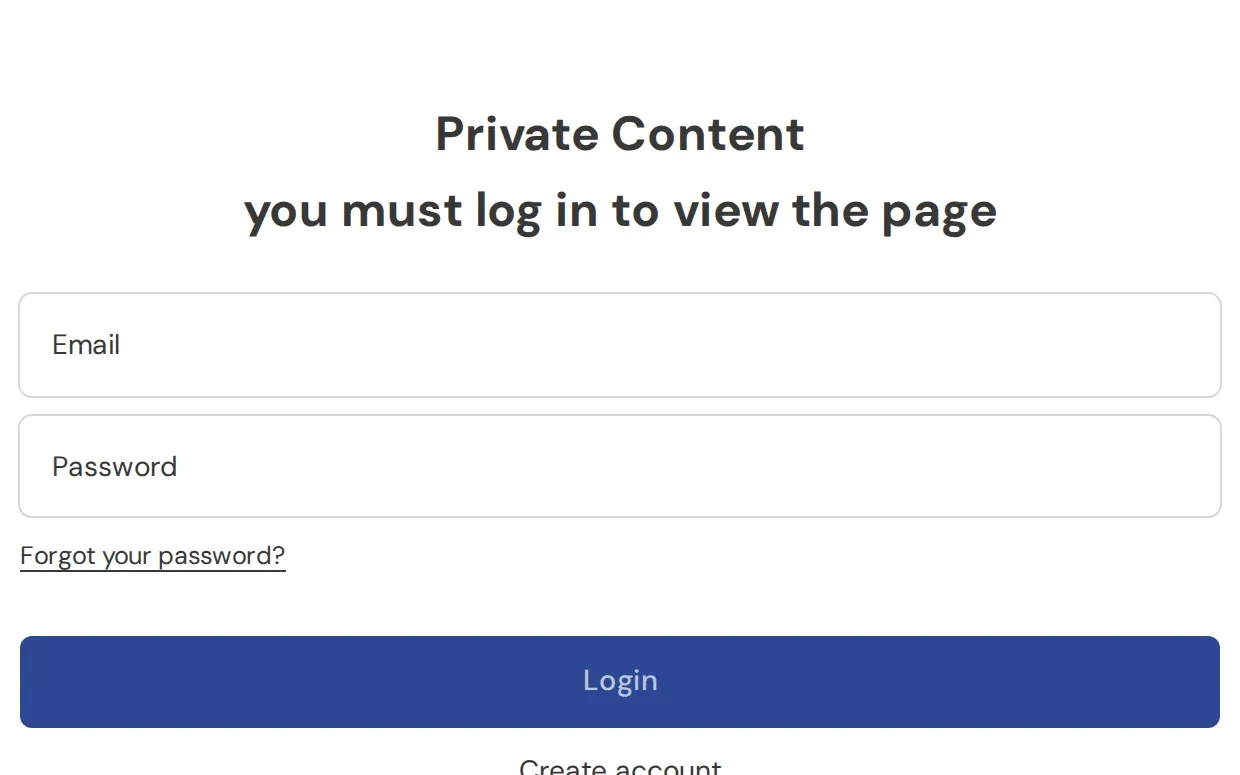
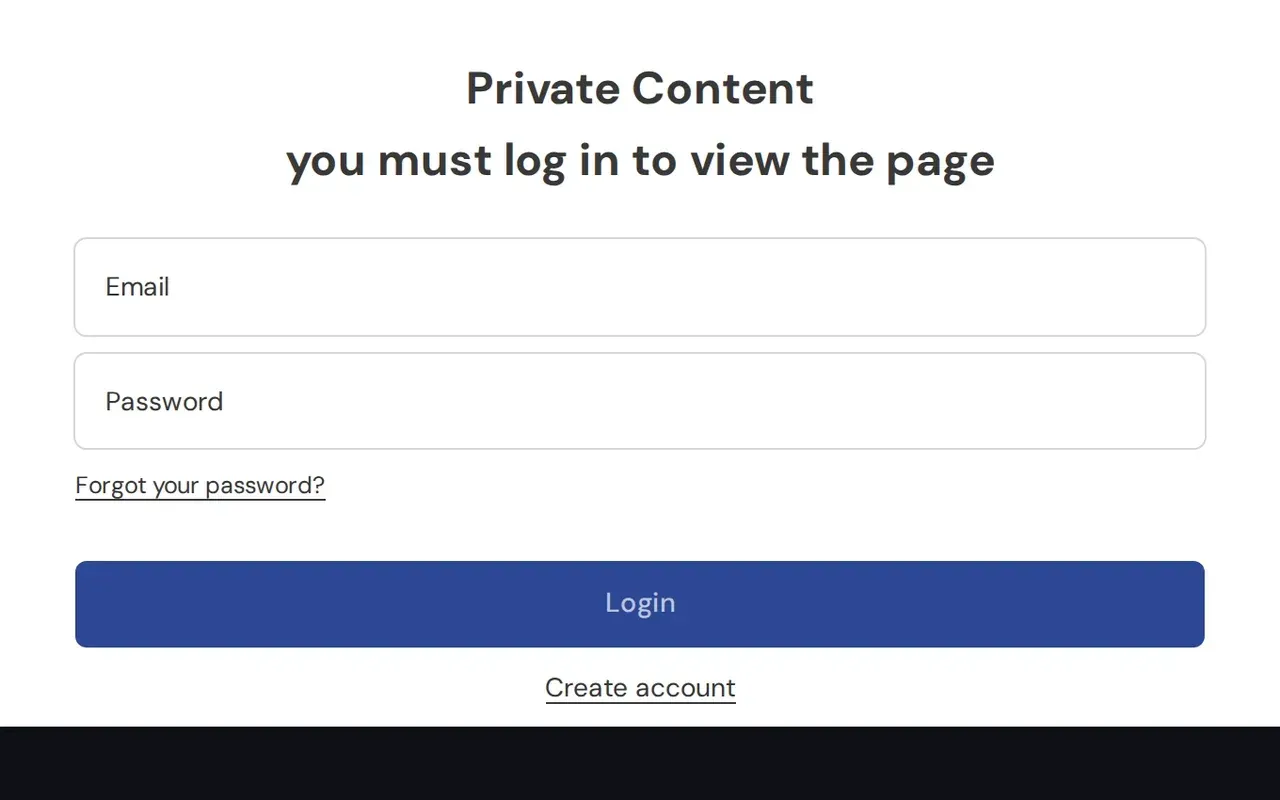
Target the entire store, a CMS page, a blog post or a URL. Visitors who do not qualify see a login page or a message you write, and the locked content is not in the page HTML they receive. Noindex for locked pages is a separate option you switch on.
Wholesale terms, order forms and partner resources behind a login
A private store for approved buyers only
A custom message with a login or sign-up form
The entire-store lock works on the free plan. Page, URL and blog locks need a paid plan or the trial.
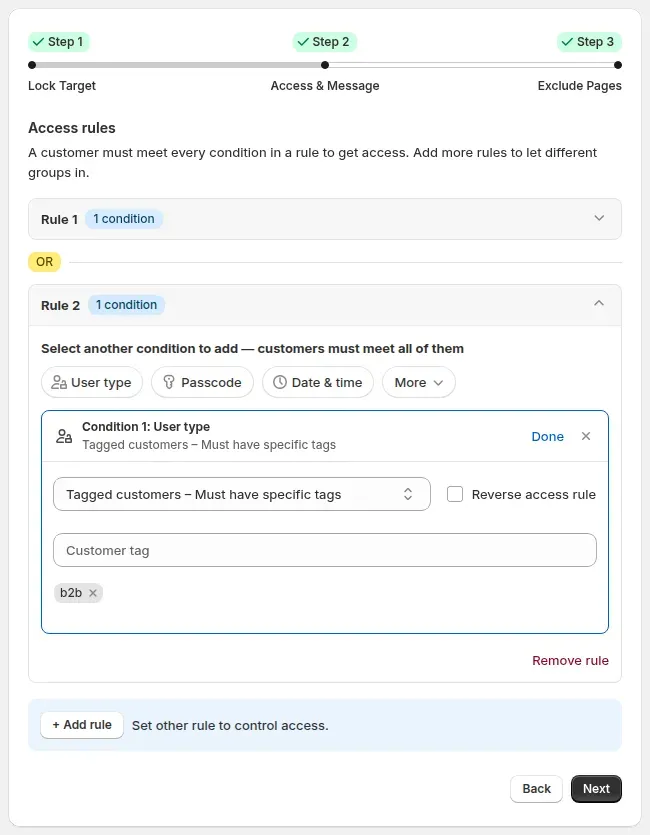
Pick one condition or combine several in a single rule. Conditions inside a rule must all match; separate rules work as alternatives.
Require a signed-in Shopify customer, or only customers with a given tag. Approve and tag a buyer in BSS B2B Solution, then unlock by that tag in Lock. The two apps are not linked in code, so keep the tag names identical.
Signed-in customers, a customer tag, or a specific customer
Email domain, company name and company location conditions
Redirect buyers back to the page, to a custom URL or to their account after login
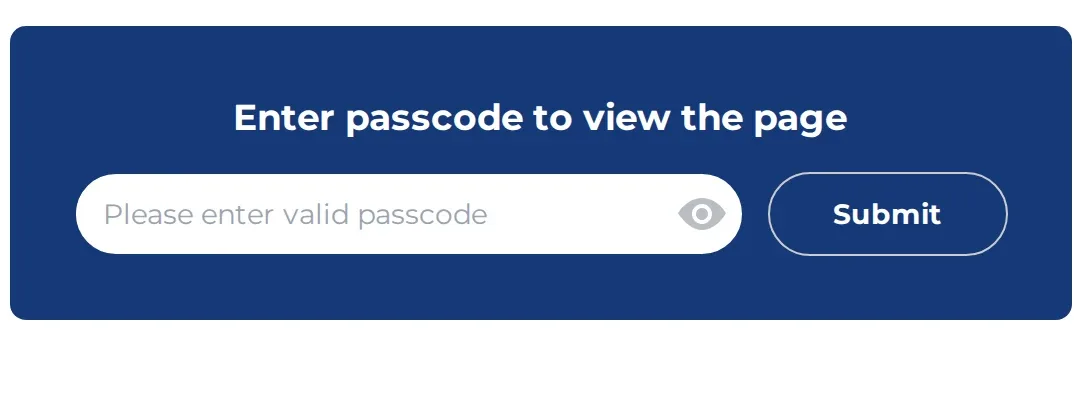
Give buyers a passcode instead of an account. Visitors enter it in a box on the locked page. You manage passcodes in the app and can import them from a CSV file.
Share a link that carries a token. Anyone who opens it gets in, so send it only to chosen buyers. The link is not hidden from search engines unless you turn on noindex for that page.
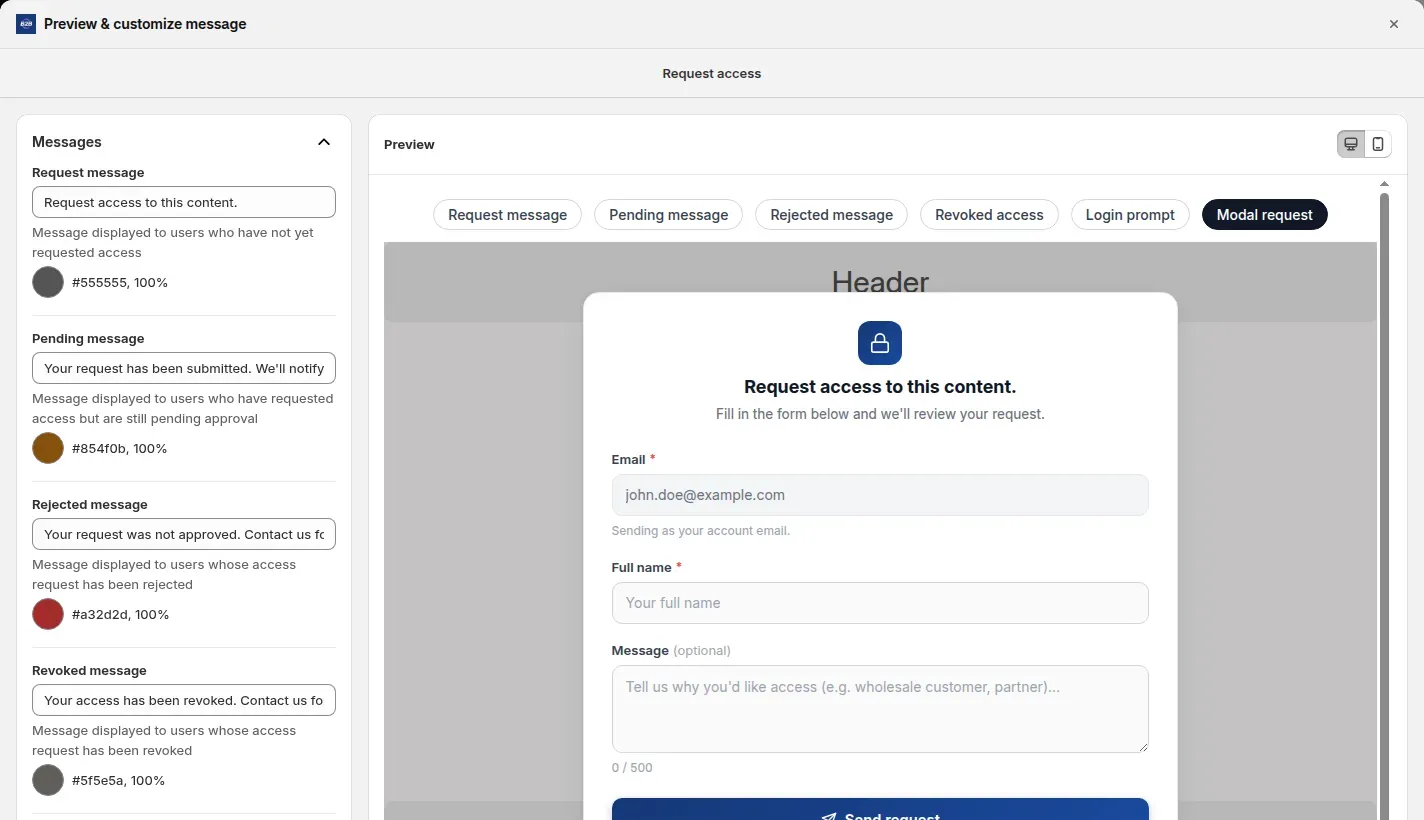
Show a Request access form on the locked page. Signed-in visitors send their name and an optional message; their email comes from their account. You approve or reject each request per rule in the app, and approved buyers are let in once the approval syncs. Approving does not add a customer tag.
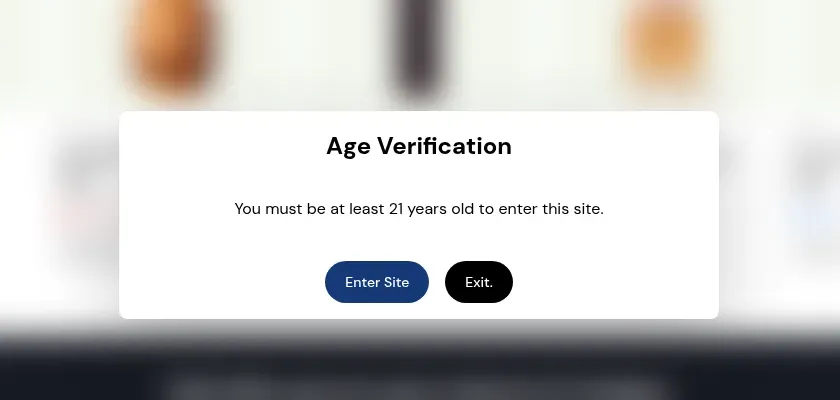
Show a popup with Enter Site and Exit buttons and a minimum age you write, on the entire store, products or collections. It is a self-declaration. The page content stays in the HTML behind a blur, so it is not legal age verification.
Checks that run in Shopify checkout, not in your theme.
On Shopify Plus stores with a paid BSS plan, a Shopify Function checks conditions when a buyer starts checkout and when they complete it. Conditions include login, customer tag, email, phone, product, quantity, subtotal, cart total and number of cart lines, matched with All or Any. If the Function fails or times out, checkout is not blocked, so it is not a guaranteed block.
Stop guests or untagged customers from completing an order
Market, date and time, and discount code conditions are coming soon
Shopify Plus stores on a paid BSS plan or the trial.
Hide chosen payment or shipping methods at checkout by condition, such as customer tag, subtotal or product. The rules run as Shopify Functions and methods are matched by their display name. Shopify allows 25 active customizations, and the app shows an error when you reach that limit.
Conditions include login, customer tag, email, phone, cart total, subtotal and product
For payment methods, product tag is not available as a checkout condition; shipping rules can use it
Hiding accelerated checkout buttons on product and cart pages is cosmetic and needs the app embed
Every lock, with the guide that shows how it works
Each feature links to a step-by-step use case, and each group links to its hub in the Shopify B2B guide. Plan names show where a feature needs a higher plan.
4.9 out of 5 from 651 reviews on the Shopify App Store, checked .
Built for Shopify
Yes
Free trial
7-day free trial on paid plans
Plans and prices
Free $0 per month
Basic Shopify $9.99 per month, or $95.88 per year
Grow Shopify $24.99 per month, or $239.88 per year
Advanced Shopify $49.99 per month, or $479.88 per year
Shopify Plus $79.99 per month, or $767.88 per year
Yearly billing saves 20%. Prices in USD.
Free plan
The free plan locks the entire website by condition. Hiding prices, products, collections and pages needs a paid plan or the trial.
Plan-specific features
Checkout lock: Shopify Plus stores on a paid BSS plan. Growth and Advanced differ by scale and support, not by lock features.
Languages
20 languages listed on the Shopify App Store
Works on
Shopify stores on Online Store 2.0 themes and most legacy themes. The app adds lock code to your theme, with an app embed for some features.
Shopify plans
Paid plan prices follow your Shopify plan: Basic, Grow, Advanced or Plus. The checkout lock is for Shopify Plus stores only.
Integrations
Shopify customer accounts and tags. Visitors unlock content by logging in with a Shopify customer account or by a customer tag on their record.
BSS B2B Solution. There is no code integration. The two apps work side by side through customer tags: approve a buyer and tag them in Solution, then unlock by that tag in Lock. Keep tag names identical.
Shopify Functions (checkout lock). On Shopify Plus, a Shopify Function checks conditions at checkout. If the Function fails or times out, checkout is not blocked.
Payment and shipping methods. Hide payment and shipping methods by condition with Shopify Functions, within Shopify's limit of 25 active customizations.
Shopify Markets. The Market condition works for storefront locks. The Market condition at checkout is coming soon.
Works with your Shopify theme and customer accounts
BSS B2B Lock works on Online Store 2.0 and most legacy Shopify themes. It uses Shopify customer accounts and customer tags, so it works side by side with BSS B2B Solution rather than through a code integration.
Have a question about integration? Read the user guide or contact us for more help
They are quick to reply despite the time difference, sometimes even working over the weekend and was able to resolve everything for me within hours each time. If you're looking for an alterative way to run a retail site as well as a B2B site, this is the way to go!.”
Jenny ZAustralia
"Quick to set up, and refreshingly stable with no bugs in my experience. This has allowed me to turn a limited Shopify Basic store into a fully functional B2B wholesale platform, while still keeping the B2C customers. That’s no easy task”
Salah NashirCEO, Lift-Spares.se
Case studies
Success Stories from Our Partners
See how stores use BSS B2B Lock to run private wholesale catalogs.
Short answers about hiding prices, login, passcodes, checkout and plans.
What is BSS B2B Lock?
BSS B2B Lock is a Shopify app that controls who can see prices, products, collections and pages, or the whole store. Visitors unlock content with a login, a customer tag, a passcode or a secret link, and you can show a custom login or sign-up message.
Is BSS B2B Lock the same app as BSS B2B Lock, Login & Password?
Yes. BSS B2B Lock is the name used on this site. The Shopify App Store lists the same app as BSS B2B Lock, Login & Password.
How much does BSS B2B Lock cost?
There is a free plan. Paid plans are Basic Shopify $9.99, Grow Shopify $24.99, Advanced Shopify $49.99 and Shopify Plus $79.99 per month, and yearly billing saves 20%. The listing shows a 7-day free trial on paid plans. Prices are from the Shopify App Store listing as of Oct 10, 2026 and can change.
Is there a free plan or a free trial?
Yes to both. The free plan locks the entire website by condition. Hiding prices, products, collections and pages needs a paid plan, and paid plans have a 7-day free trial on paid plans.
Can I lock just one page, blog post or collection?
Yes, on a paid plan or the trial. A lock can target a single product, collection, variant, CMS page, blog post or URL. The free plan locks the entire store only. For page, product and collection locks, the main content is not in the HTML that visitors without access receive.
How do I hide prices until a customer logs in?
Create a lock that targets prices, and optionally Add to cart, with the condition that the visitor is signed in or has a customer tag. Guests see the catalog with a login or sign-up message instead of prices.
How can visitors unlock locked content?
By signing in, by a customer tag, by a passcode, by a secret link, or by requesting access, which you approve per rule in the app. A secret link lets in anyone who has it, and it is not hidden from search engines unless you turn on noindex.
Is locked content really hidden, or only covered up?
For page, product and collection locks, the main content is not sent in the page HTML to visitors who do not qualify. An age popup is only a Confirm or Exit self-declaration and leaves content in the HTML, so it is not legal age verification. Locks work through your theme code.
Does BSS B2B Lock work with BSS B2B Solution?
They work side by side, not through a code integration. Approve and tag a buyer in BSS B2B Solution, price them there, then unlock content in Lock by that customer tag. Tag names are matched as text, so keep them identical in both apps.
Can BSS B2B Lock block checkout?
Yes, on Shopify Plus stores with a paid BSS plan. A Shopify Function checks conditions such as login, tag, email, product, quantity or subtotal at checkout. It is not a guaranteed block: if the Function fails or times out, checkout is not stopped.
Can I hide payment or shipping methods?
Yes. You can hide chosen payment or shipping methods at checkout by condition, such as customer tag, subtotal or product. Shopify limits stores to 25 active customizations. For payment methods, product tag is not available as a checkout condition; shipping rules can use it. Hiding accelerated buttons on product and cart pages is cosmetic.
Can I hide prices from Google?
The app replaces the price in your theme's page data with a placeholder for visitors who do not pass the lock, and Googlebot counts as a guest. It only works where your theme code matches, and Merchant Center feeds are not changed. Test your pages after setup.
Ready to try BSS B2B Lock?
7-day free trial on paid plans. Install BSS B2B Lock from the Shopify App Store, then pick the plan that matches what you lock.

 BSS B2B LOCK