


Manifiesto Design Center, a Mexican furniture retailer, runs a public retail store and a trade program called Manifiesto Trade on the same Shopify store. Professionals apply for a wholesale account, then use a quick quote page with bulk import. This store spotlight shows how it fits together and which BSS apps power it.
Key takeaways
- It is a hybrid store: retail prices are public, trade pricing sits behind an approved account.
- Manifiesto Trade targets architects, interior designers, hospitality buyers, event rental companies, vacation rental operators and home stagers.
- The store states no minimum order quantities and 200+ products at wholesale prices.
- The merchant has left public reviews for all three BSS apps: Solution, Lock and Quote.
About Manifiesto Design Center
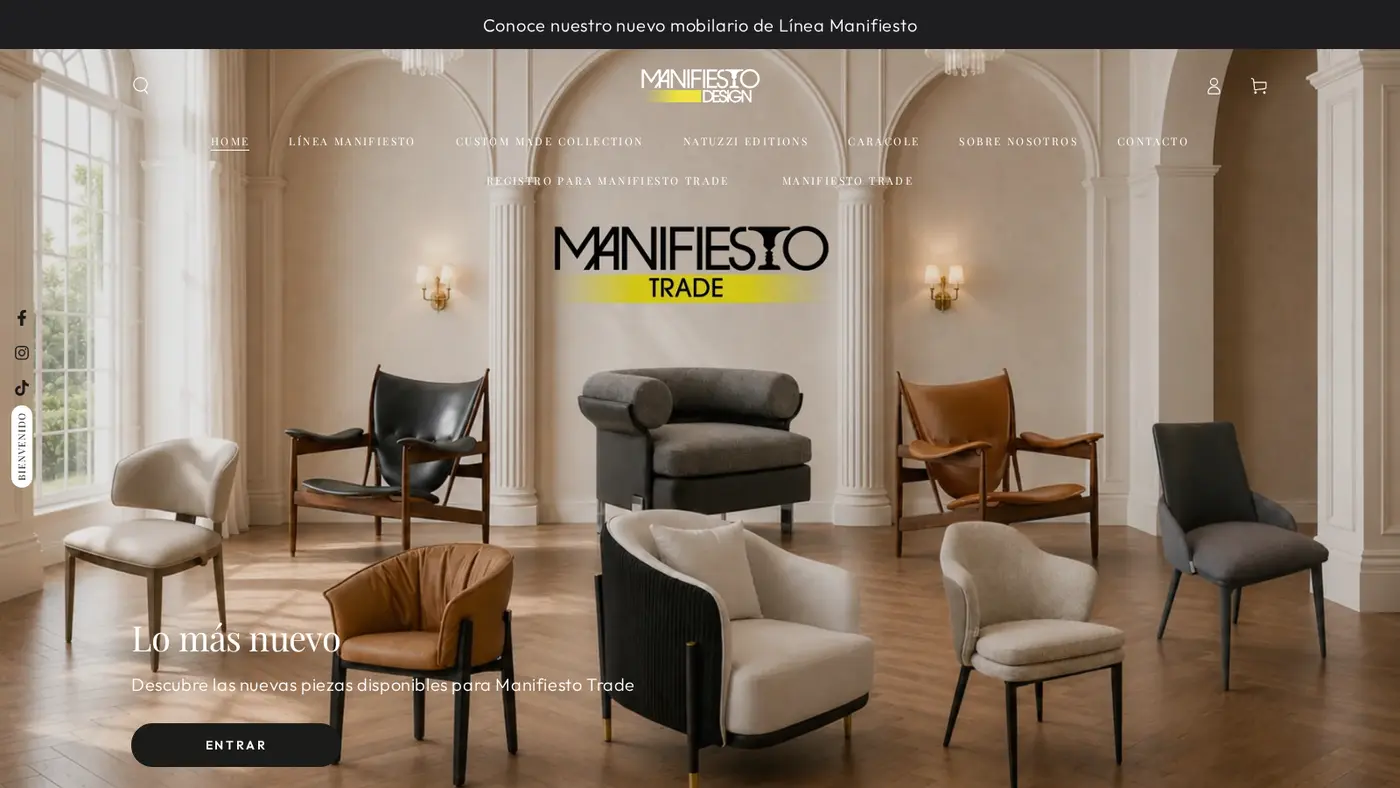
Manifiesto Design Center sells designer furniture and home decor in Mexico. The storefront is in Spanish, prices are in Mexican pesos with tax included, and the site says it has more than 18 years of experience in the furniture sector. Its catalog is organized by brand line and product type: Línea Manifiesto (its own line), a Custom Made Collection, Natuzzi Editions and Caracole, plus categories such as beds, nightstands, dining tables and accent pieces. The main catalog collection lists more than 200 items.
Shoppers see a well-presented retail store. The product pages carry long descriptions, dimensions, stock notes and a promise of free shipping across Mexico. A welcome pop-up offers a first-purchase discount. The trade program shows up only in the menu: Registro para Manifiesto Trade and Manifiesto Trade sit on the second row of the navigation.
Furniture is a natural fit for trade accounts. Designers, architects and hospitality buyers specify the same pieces for many projects and expect a price that reflects repeat business. They also want a way to build a list of items and get a figure back, which is why quotes and quick ordering matter as much as the discount itself. For a deeper look at the pattern, read furniture and home decor: trade pricing and order limits.
Manifiesto Trade: a B2B program on a retail store
The registration page describes Manifiesto Trade as its B2B platform. Professionals who get an account receive direct access to more than 200 products at wholesale prices, no minimum order quantities and a dedicated account advisor. The page lists who it is for: architects, interior designers and decorators, hospitality buyers, event rental companies, vacation rental operators and home staging specialists.
| Question | What the storefront says or shows |
|---|---|
| Who is it for? | Architects, interior designers, hospitality buyers, event rental and vacation rental businesses, home stagers |
| What do buyers get? | Preferential prices, exclusive discounts, tools to generate quotes, invitations to special events |
| Minimum order? | None (0 minimum purchases) |
| Retail prices? | Public, in Mexican pesos, tax included |
| How to apply? | Registro para Mayoristas form, linked from the menu and the landing page |
This is the hybrid model: one store, two audiences. A visitor who only wants a sofa buys it at the public price. A professional applies once, is tagged, and from then on the store treats them differently. If you are weighing this model, see how to sell B2B and B2C from one Shopify store.
How the Manifiesto storefront handles wholesale
1. A landing page that sells the program
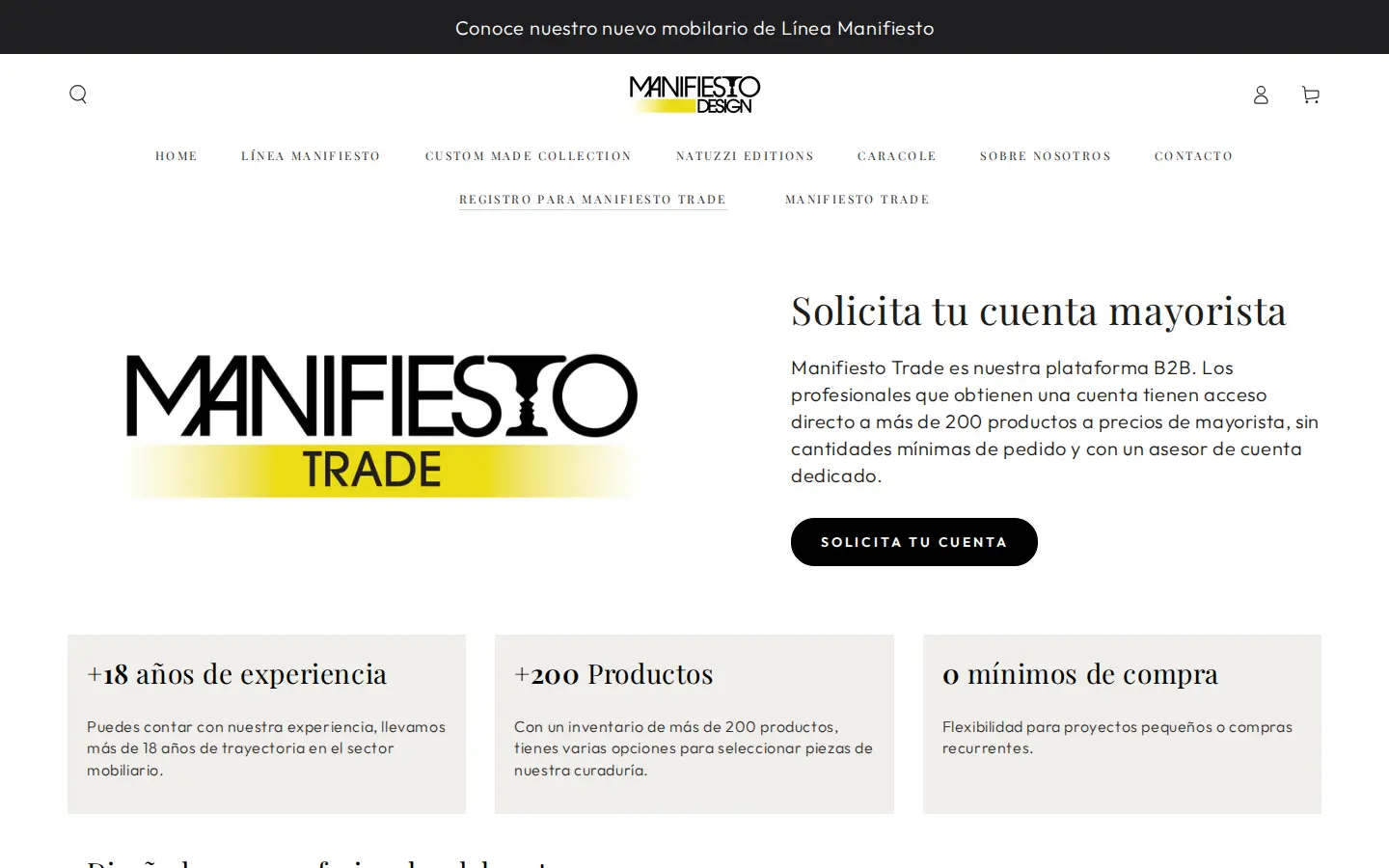
The first thing a professional reads is a short pitch with three numbers: 18+ years of experience, 200+ products and 0 minimum purchases. Below it, a list of who the program is for, a line about wholesale prices without minimums, and a repeat of the Request your account button. The page is written for a designer who is deciding whether the effort of applying is worth it.
2. A registration form that qualifies the buyer
The button leads to Registro para Mayoristas, a form with a benefits banner above it. It asks for first and last name, a phone number with a WhatsApp prefix for Mexico, email, company name, a website or social profile, and the type of business through checkboxes: architecture and interior design, construction and development, store or distributor, hotel or restaurant, real estate, short-term rental platforms, office or corporate, or other. Then address, city, postal code and a free-text box.
The business-type question does two jobs. It tells the team how to treat the applicant, and it gives them a reason to apply a specific tag. The website or social profile field lets staff check that the applicant is a real business before approving.
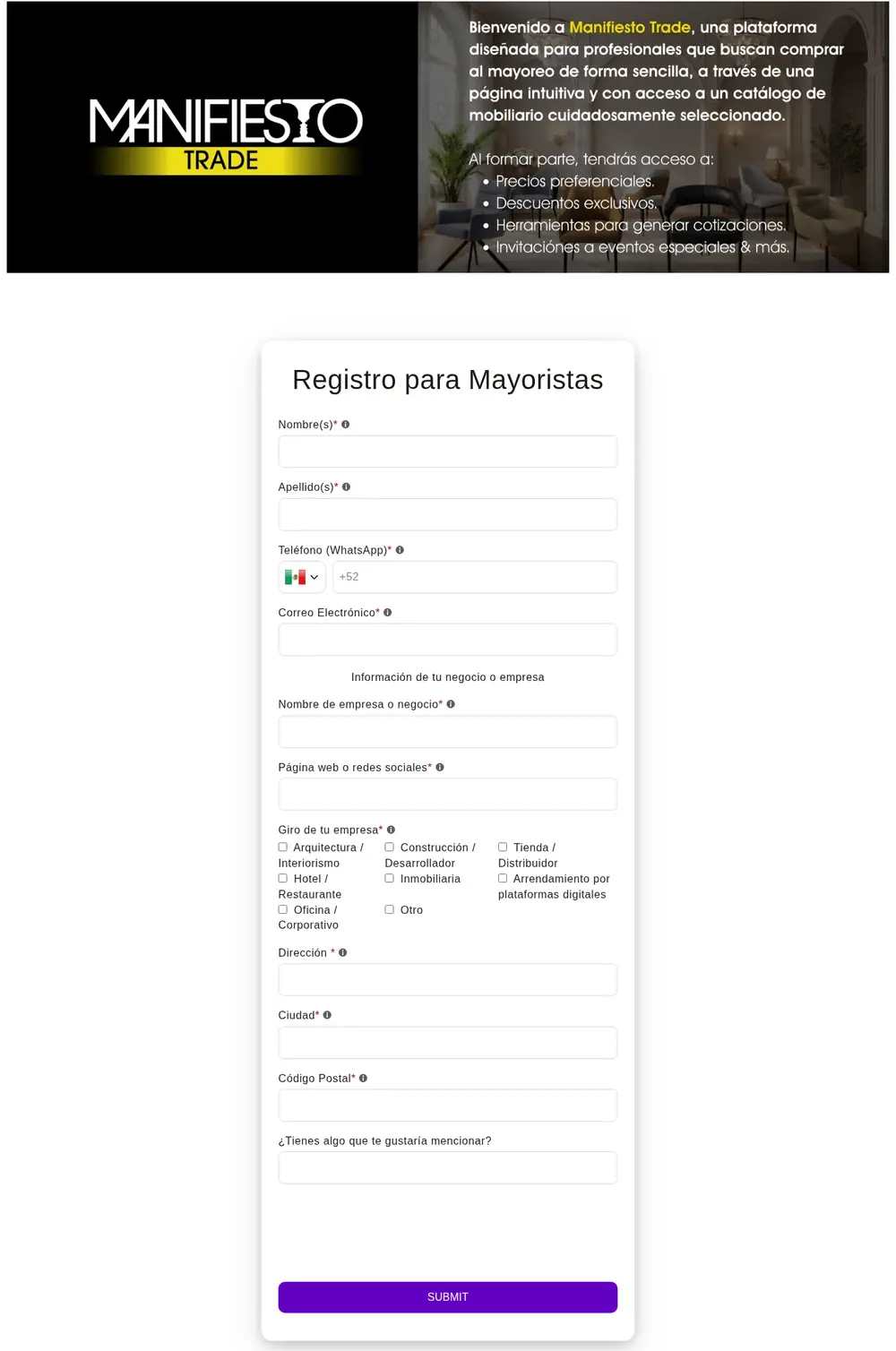
Behind the form, our configuration data shows two registration forms active, both set to send an email and to assign a tag. Approval then follows the process described in approve, reject and notify wholesale applicants.
3. A quick quote page built for lists
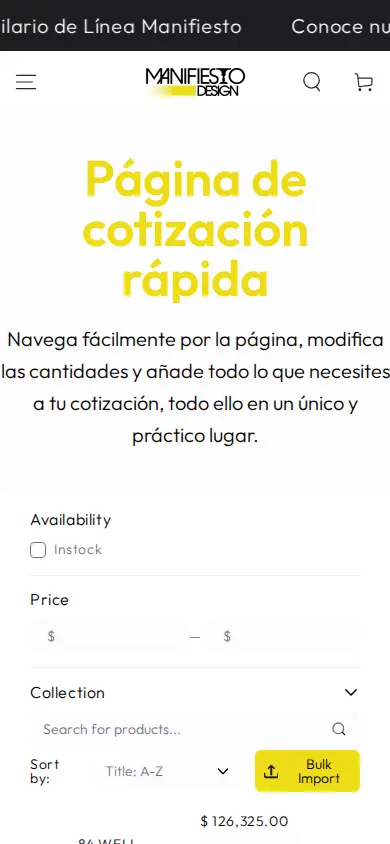
The menu also links a quick quote page, Página de cotización rápida. Its intro says to browse the page, change quantities and add everything you need to your quote, all in one place. Under it there is a product search, an In stock filter, a price range, a collection filter, a sort menu and a yellow Bulk Import button, followed by one line per product with image, name, stock count, price, a quantity stepper and Add to cart.
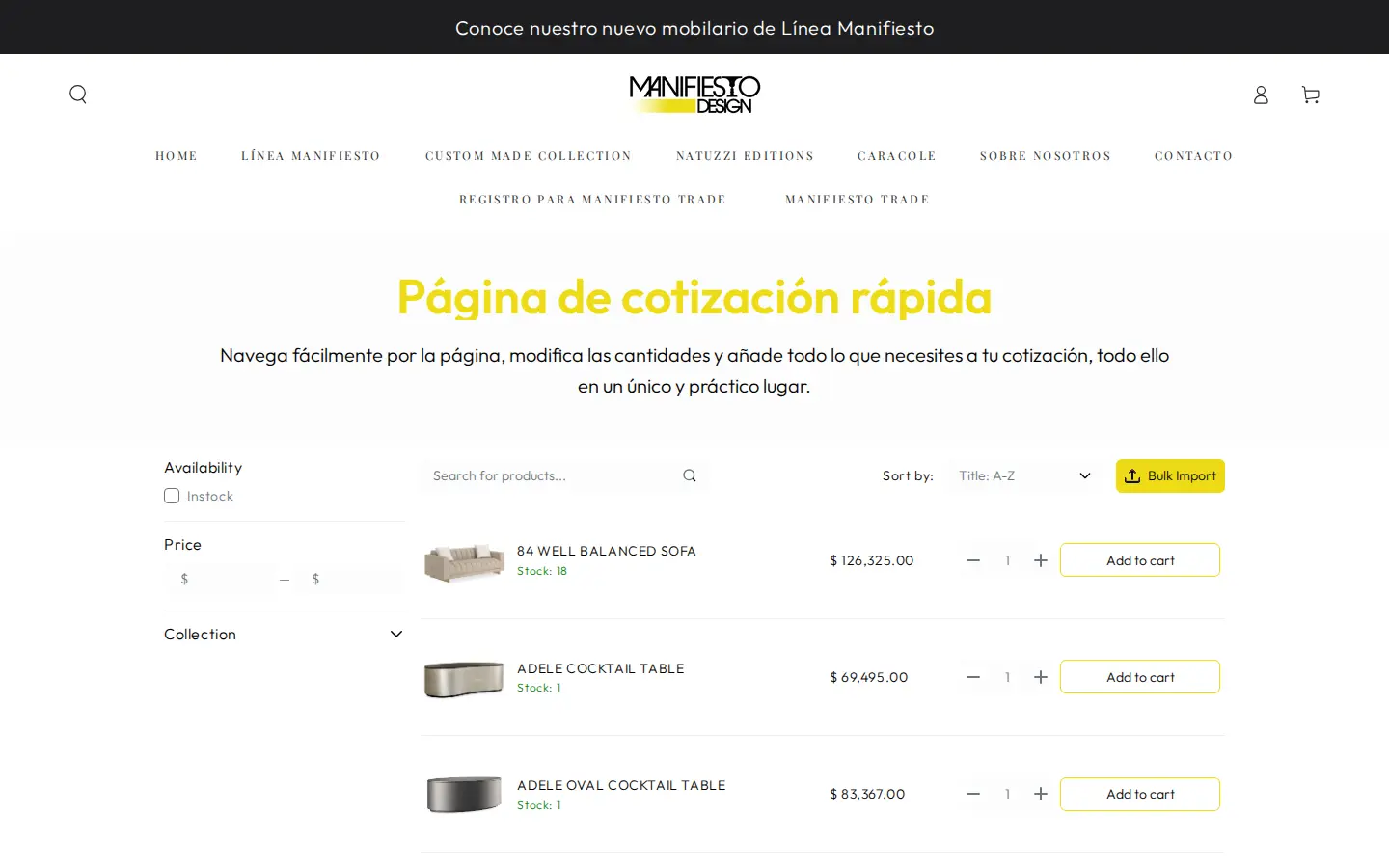
For a designer working from a specification, this beats browsing collection pages one at a time. They search, set quantities and import a list. The BSS B2B Quote app provides quick order pages with CSV or XLSX bulk import, and the Quick Order and quote cart can use Solution pricing for customers who are not using Shopify’s native B2B. See personalized quick order pages and bulk order by CSV upload.
4. Retail stays simple
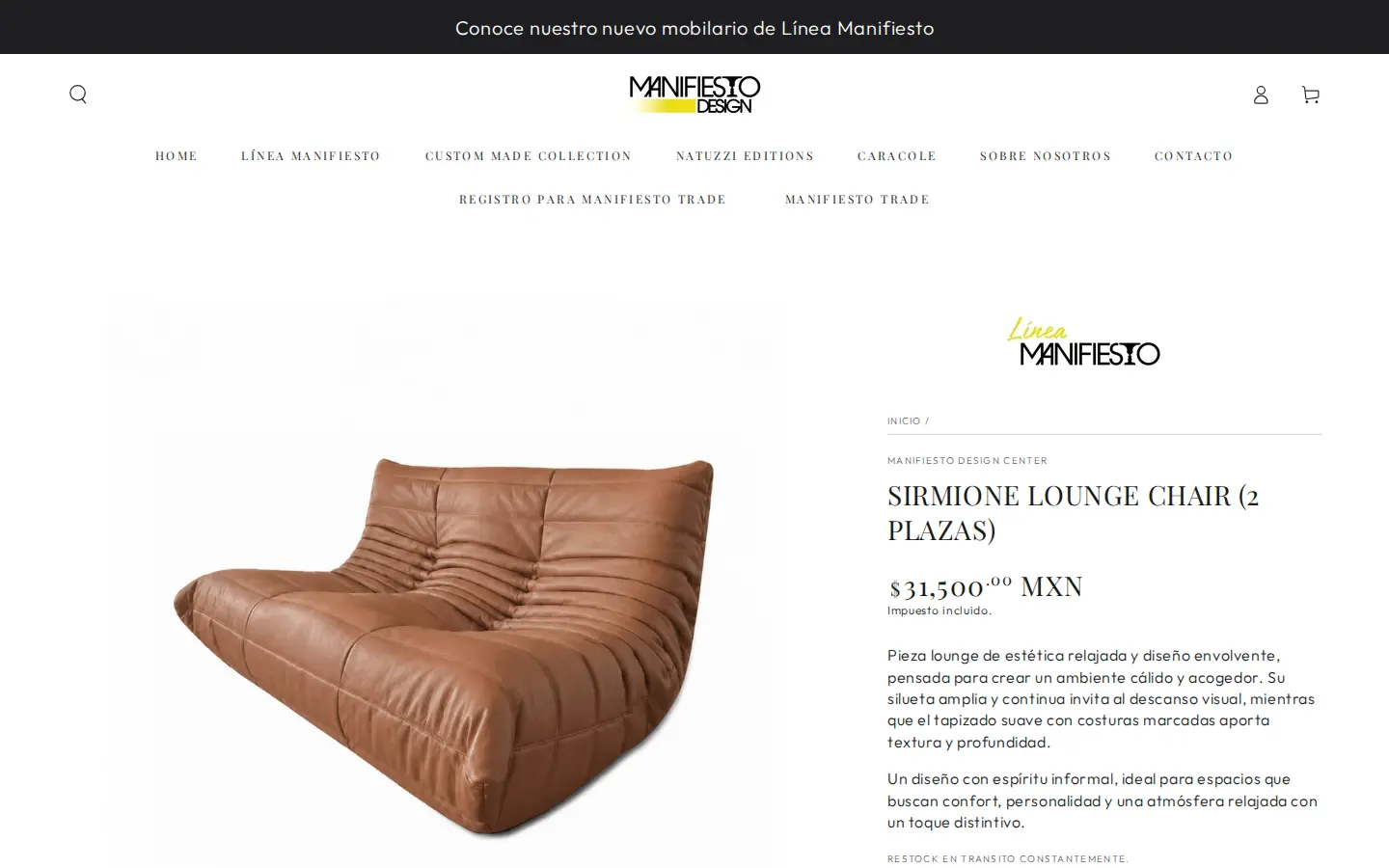
Meanwhile the retail product page is plain: image, name, price in pesos, tax included, a description and an add-to-cart control. The trade price is not on this page for a guest. It appears for an approved, logged-in buyer according to the pricing rules.
Which BSS features power the Manifiesto setup
The merchant has reviewed all three BSS apps publicly, and the storefront loads scripts from each. Aggregated configuration data from the BSS B2B Solution backend, as of October 5, 2026, shows the app on a paid plan with these modules active:
- Custom Pricing. One active rule targets specific customers and four target customer tags, applied by product collection as percentage reductions. This is how a tiered trade system can be built from collection-level discounts.
- Price Lists. Two active rules target customer tags.
- Auto-tagging. One automatic tagging rule is on, so qualifying customers can be moved between groups without manual work.
- Registration forms. Two active forms, with email sending and a tag assigned to approved applicants.
A rule for volume pricing and one for payment terms exist in the configuration but are switched off, so we do not count them. Quote and Lock rule settings are not public; the review text and the visible pages are the evidence for those apps.
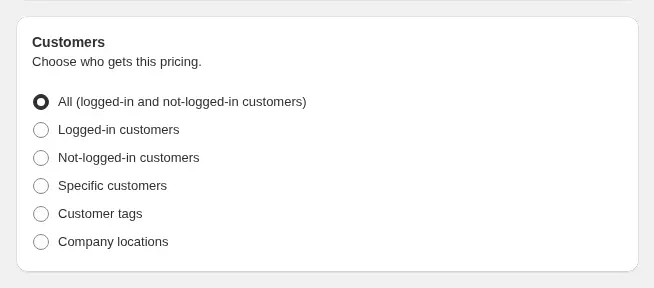
The pricing rules decide who sees what. Custom Pricing and Price Lists can target specific customers, customer tags or company locations. When two rules could apply, the lower priority number wins within the same module, and the order of calculation is documented in how rule priority works. The related guides are prices by customer tag, a price list per buyer group and discounts by collection or vendor.
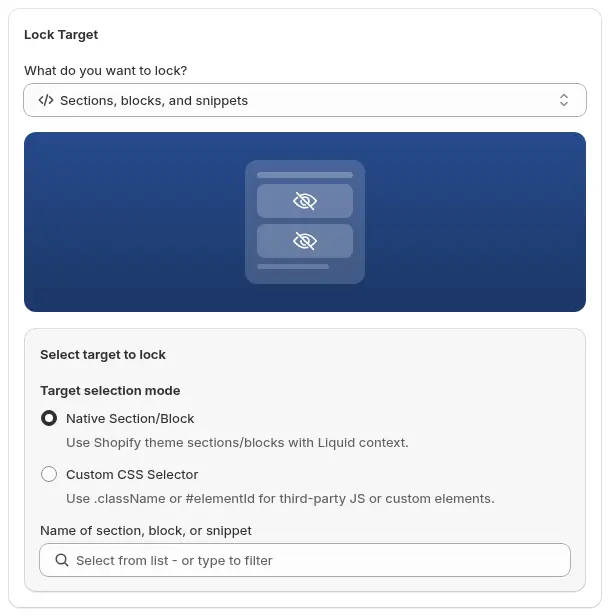
BSS B2B Lock handles what the buyer is allowed to see. A Lock rule can target prices, the add-to-cart button, whole pages, collections or products, and it can also target a theme section, block or snippet, which is the kind of setting a merchant would use to hide a cart icon. Lock is a storefront display control: it changes what the theme renders, so do not rely on it for information that must stay confidential. See hide add to cart and the cart for visitors.
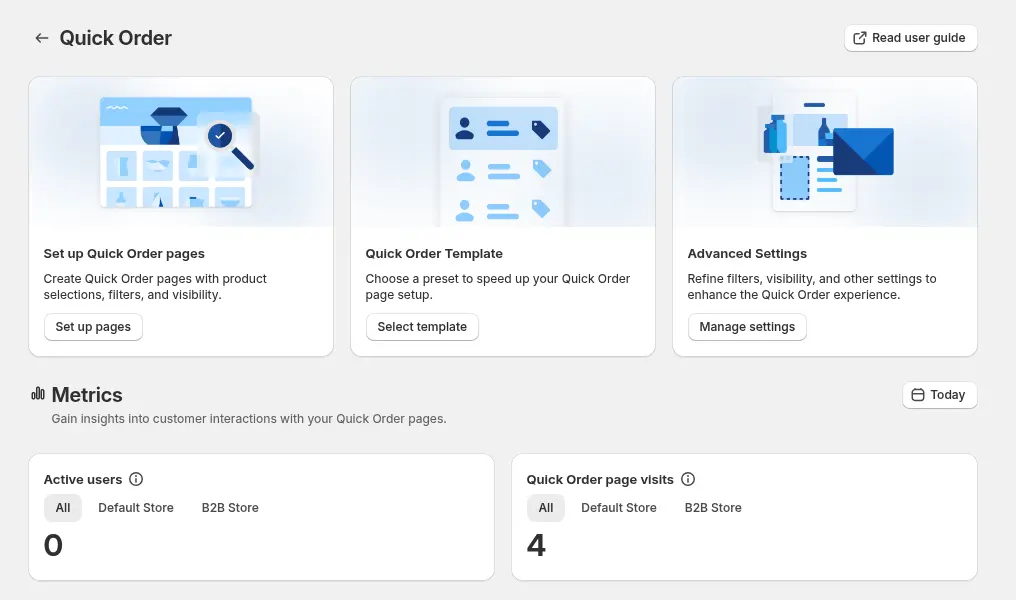
BSS B2B Quote covers the other half: quick order pages and quote requests. In a quote flow, the merchant reviews the request, adjusts prices, shipping and expiry, and sends a proposal; a logged-in customer who approves it by email turns it into a draft order. The review below mentions the approval step explicitly. The step-by-step is approve a quote and turn it into a draft order.
What other merchants can copy from Manifiesto
- Give the trade program its own name and page. Manifiesto Trade reads like a program, not a hidden discount.
- State the benefits with numbers. Years of experience, product count and zero minimums answer the first three objections.
- Name the buyer types. A list of architects, designers, hotels and stagers helps the right people recognise themselves.
- Ask for the business type. A checkbox list gives you a tag to assign and a reason to approve.
- Offer a quick quote page. Professionals who work from a list need search, filters and bulk import.
- Keep retail simple. Public prices and a normal checkout keep consumers out of the trade flow.
The merchant’s reviews
Manifiesto Design Center has left three five-star reviews on the Shopify App Store, one for each BSS app. We quote them verbatim.
BSS B2B Solution, dated August 18, 2026, after about six months of use:
BSS B2B Wholesale Pricing has been an excellent solution for managing our trade pricing. We’re able to personalize each product with a specific discount, which allows us to create a tiered pricing system tailored to our different trade accounts. The support has been just as impressive. The development team has been incredibly helpful every time we’ve needed to make adjustments. Especially Ines, who always takes the time to understand our needs and is willing to go the extra mile to help us implement a solution. Great app, great flexibility and outstanding support. Highly recommended for businesses looking for a reliable B2B pricing solution!
Manifiesto Design Center, Mexico, 5 stars, August 18, 2026. Read the review on the Shopify App Store
BSS B2B Lock, April 27, 2026, after about two months of use:
We’ve had an excellent experience using the BSS B2B Lock app. It runs smoothly and delivers exactly what we needed to manage our B2B storefront restrictions. In particular, it allowed us to seamlessly hide the shopping cart icon for our B2B storefront, which was a key requirement for us. We’d also like to highlight the outstanding support we received from Ine, she was incredibly helpful, responsive, and supportive throughout the entire process.
Manifiesto Design Center, Mexico, 5 stars, April 27, 2026. Read the review on the Shopify App Store
BSS B2B Quote, April 17, 2026, after about one month of use:
We’ve had a really good experience using the BSS B2B Quote app. The customer tagging feature has been super helpful for organizing different types of accounts and making sure each one sees the right pricing. The quote approval process has also been great,it helps us keep things consistent and double-check everything before sending it out to clients. A special thank you to Ines, who has been incredibly responsive and helpful throughout our experience. Their support made it much easier to implement and fine-tune the app to fit our needs
Manifiesto Design Center, Mexico, 5 stars, April 17, 2026. Read the review on the Shopify App Store
Read together, the three reviews describe a store that uses each app for a different job: product-level discounts for tiered trade pricing, a hidden cart icon for the B2B storefront, and tagging plus quote approval for account-specific pricing and consistent proposals.
FAQ: trade accounts on a retail furniture store
Can a Shopify store show retail prices to the public and wholesale prices to approved buyers?
Yes. Keep the retail price as the product price, then create pricing rules that target a customer tag. When an approved buyer logs in, the rule changes the price they see. Manifiesto Design Center works this way. See personalized B2B wholesale pricing.
What should a wholesale registration form ask a design or hospitality buyer?
Ask for company name, a website or social profile, the type of business and an address, plus a free-text box. The business type can drive the tag you assign on approval. Fewer fields usually mean more completed applications.
Can buyers upload a list of products instead of browsing?
With BSS B2B Quote, a quick order page can accept a CSV or XLSX upload and add the lines to the cart or quote; duplicate SKUs are added together. See the bulk import guide.
Can I hide the cart icon for some customers only?
A BSS B2B Lock rule can target a theme section, block or snippet and apply it to a customer condition. Manifiesto’s Lock review says it hid the cart icon for its B2B storefront. Test as a guest, as a retail customer and as an approved buyer.
Do I need minimum order quantities for wholesale?
No. Manifiesto Trade states zero minimums. If you want minimums later, enforce a minimum order quantity or value covers how.
Want a similar setup? Start with the BSS B2B Solution page, then add BSS B2B Lock and BSS B2B Quote as you need them.
This store spotlight is based on Manifiesto Design Center’s public website and its public reviews on the Shopify App Store, as of October 5, 2026. Screenshots show the public storefront; Spanish text is translated by us. Images labelled Example configuration come from our documentation and are not Manifiesto’s admin.